
If you are looking for the best computer courses for kids that can help your child make the most of their time by learning useful skills for the future, choosing the right program based on their age and interests can be a great starting point for discovering their abilities. Learning computers is no longer limited to simply using devices; it has become an opportunity for children to learn programming, design, logical thinking, and how to turn their ideas into simple and enjoyable digital projects.
With the wide variety of technology fields available today, parents may find it difficult to choose the most suitable course for their child. Should they start with programming, web design, or graphic design? Therefore, it is important to choose computer courses for kids that rely on gradual learning and practical application, while presenting the content in a way that suits the child’s age and skill level. This allows children to enjoy the learning process while developing real skills that can be improved over time.
Through Genius Online, your child can discover the world of computers and technology through educational programs designed to help children learn, practice, and develop their skills step by step. They can start at the appropriate level and gradually progress toward more advanced fields.
Best Computer Education Programs for Kids
Choosing the best computer education programs for kids starts with understanding the child’s age, interests, and current skill level, then selecting a program that gives them a genuine opportunity to learn and practice. Computer education is not limited to using a device; it can help children develop logical thinking, problem-solving, creativity, and technical skills they may need in the future.
| Program | Who Is It For? | Why Choose It for Your Child? |
|---|---|---|
| Programming Principles Course for Kids | Ages 7 to 11 | An introductory program that helps children learn programming basics in a simple, beginner-friendly way, with a focus on understanding and practical application. |
| Programming Diploma for Kids | Ages 11 to 18 | A more advanced learning path that helps children develop their technical skills and move from programming fundamentals to practical projects through live learning and student projects. |
| Coding with Python Level 1 | Beginners | A first step toward learning programming with Python, helping children build a programming foundation that can be developed into more advanced levels. |
| Static Web Pages with HTML5 and CSS3 | Older children and beginners in web development | Introduces children to the basics of creating web pages, organizing content, and styling websites while giving them the opportunity to apply what they learn through practical projects. |
| JavaScript: Make the Web Alive | Students with web development basics | Helps children progress to a more advanced level of web development by learning JavaScript and adding interactive elements to websites. |
| Photoshop Basics and Introduction to Design | Children interested in design | Suitable for children who enjoy drawing and design, helping them discover the world of digital design while developing creativity and visual skills. |
| Introduction to Artificial Intelligence | Children at the appropriate level for the content | Introduces children to AI concepts and how it works, with opportunities to experiment with building simple prototypes in an interactive way that helps them understand modern technology. |
How Do You Choose the Best Computer Program for Your Child?
There is no single course that suits every child, so the choice depends on the child’s age, skill level, and interests. If the child is starting from scratch and is within the appropriate age range, programming principles can be a good starting point. A child interested in design may prefer graphic design programs, while a child with some programming experience can move on to Python or web development.
Genius Online programs feature live learning and interaction with instructors. They also focus on practical application and projects, with limited-size classes that help increase interaction and provide better follow-up.
Why Learn Computers with Genius Online?
Genius Online offers a variety of learning paths, starting with introductory programs for children and extending to programming, web development, artificial intelligence, and design. This allows parents to choose the path that best matches their child’s needs and interests. The platform also offers interactive live programs and practical projects that students complete throughout their learning journey.
Learn more about: Developing Skills for a 4-Year-Old Child
Choose the best computer education program for your child based on their age and interests, and start their journey into programming, technology, and creativity with Genius Online.
Online Computer Courses for Kids
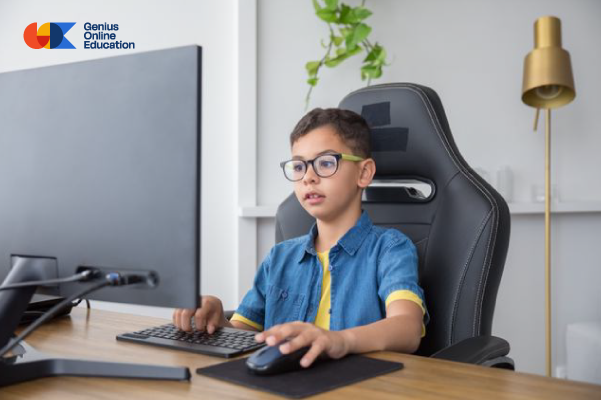
Online computer courses for kids have become a practical way to help children learn technology skills and make productive use of their screen time by developing new abilities. Instead of using the computer only for entertainment, children can learn programming, design, web development, and other skills through interactive programs suitable for their age and skill level.
What Can Children Learn from Online Computer Courses?
The skills children develop vary depending on the field they study, but suitable educational courses can help them develop a range of important skills, including:
- Positive use of technology: Turning the computer from an entertainment tool into a tool for learning and creativity.
- Logical thinking: Learning how to organize steps, analyze problems, and find solutions.
- Programming: Learning the basics of writing code and building digital projects according to the child’s age.
- Creativity and design: Turning ideas into designs and projects using digital tools.
- Problem-solving: Developing the ability to try different solutions and learn from mistakes.
- Self-learning: Developing research skills, experimentation, and the ability to discover new information.
Why Choose Online Learning for Your Child?
Online learning provides greater flexibility for families, allowing children to learn from home without having to travel to an educational center. Interactive courses also allow children to communicate with instructors, participate in activities, and practice what they learn, making the learning experience easier and more suitable for their needs.
Top Computer Courses for Kids
Children can start with the field that matches their age and interests, then gradually move to more advanced levels. Some of the most important areas to explore include:
| Field | Benefit for the Child |
|---|---|
| Mobile Application Course | Developing logical thinking and problem-solving skills while turning ideas into digital projects. |
| Advanced Python | Learning programming concepts through a language suitable for students who are ready to write code. |
| HTML5 and CSS3 | Learning how to create web pages, organize content, and design websites. |
| JavaScript | Learning interactive programming and developing more advanced web pages and projects. |
| Graphic Design Diploma | Developing creativity and visual skills while teaching children how to use digital tools for design. |
How Do You Choose the Right Computer Course for Your Child?
Before enrolling your child in any online computer course, make sure you understand the appropriate age range, the child’s skill level, and the learning requirements. It is also preferable to choose a program based on practical application and projects rather than theory alone, so the child can experience a sense of achievement and see the results of what they have learned.
It is also important not to force a child into a field they are not interested in. If they enjoy games, they can start with programming and game development. If they enjoy drawing and creativity, graphic design may be more suitable. Meanwhile, children interested in websites can start learning HTML and CSS when they are ready.
Online Computer Courses for Kids with Genius Online
Genius Online provides a variety of educational programs for children in programming, technology, and design, allowing parents to choose a learning path that matches their child’s age, skill level, and interests. Gradual learning and practical application help children develop real skills that they can improve over time.
Learn more about: Learn Tajweed for Beginners from Scratch in an easy way.
Start your child’s journey to learning computer and programming skills online, and choose the course that matches their age and interests with Genius Online.
Benefits of Learning Computers for Kids
Learning computers for kids is no longer simply a way to teach children how to use devices. It has become an opportunity to help them develop the technical and cognitive skills they need for school and the future. With age-appropriate programs, computer use can be transformed from simple entertainment into an educational experience that encourages thinking, creativity, experimentation, and self-discovery.
1. Developing Logical Thinking
Learning computers and programming helps children organize their ideas and arrange steps to reach a specific result, contributing to the development of logical thinking in a practical way.
2. Developing Problem-Solving Skills
When children encounter an error or problem while working on a digital project, they learn to look for the cause and try different solutions. With repeated practice, they become better able to handle problems in an organized way.
3. Enhancing Creativity
Computers provide children with tools that help them turn their ideas into real projects through design, programming, or web development, encouraging creativity and innovation.
4. Developing Early Digital Skills
Early learning helps children understand technology and use digital tools more effectively instead of relying on devices solely for entertainment.
5. Building Self-Confidence
When children successfully create a project, design a web page, or solve a programming problem independently, they experience a sense of achievement. This can strengthen their confidence in their abilities and encourage them to try new learning experiences.
6. Improving Focus and Attention
Some digital activities require following instructions, arranging steps, and reviewing results, giving children opportunities to practice focus and attention while completing tasks.
7. Encouraging Self-Learning
Learning computers encourages children to research, experiment, and discover new ways to implement their ideas, helping develop self-learning skills and independence over time.
8. Turning Ideas into Projects
One of the most important benefits of learning computers is that children do not have to remain consumers of digital content. Over time, they can become creators by designing games, websites, applications, and programming projects suitable for their skill level.
9. Developing Communication and Collaboration Skills
Some courses and group projects help children share their ideas, explain what they have created, and collaborate with others, supporting communication and teamwork skills.
10. Preparing for Future Skills
Learning computers gives children a foundation that can be developed in the future across various fields, including programming, web development, artificial intelligence, design, and technology, while choosing the field that suits their age and abilities.
How Can a Child Start Learning Computers?
Children should preferably begin with a field suitable for their age and interests and should not be given advanced content before mastering the basics. They can start with simple educational activities and gradually move on to programming, design, web development, and other technology fields.
Learning Computers for Kids with Genius Online
Genius Online provides educational programs for children in programming, technology, and design. Parents can choose the appropriate program based on the child’s age, skill level, and interests. Interactive learning and practical application help make the computer a tool for acquiring skills and developing abilities.
Learn more about: How to Teach Programming: The Best Methods and Steps for Beginners
Help your child benefit from technology and develop computer, programming, thinking, and creativity skills through age-appropriate learning with Genius Online.
Best Computer Skills for Kids
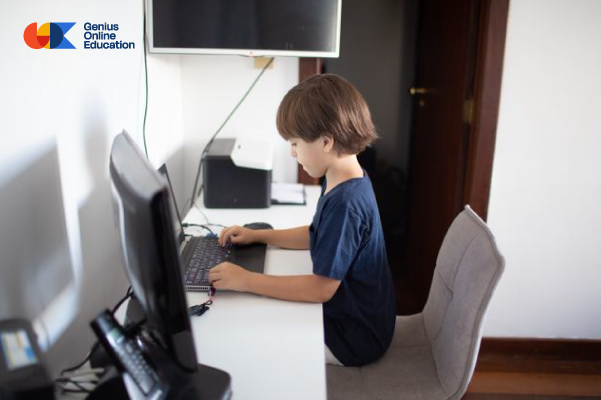
Teaching computer skills for kids has become an important step in helping children interact with technology in a more useful and creative way. Instead of using computers only for entertainment, children can be guided toward developing digital skills that support learning, thinking, and problem-solving while choosing skills that match their age, abilities, and interests.
1. Basic Computer Skills
Children can begin by learning basic skills such as using the keyboard and mouse, opening and closing programs, and working with files and folders in a simple and safe way. These skills provide a strong foundation that can be developed over time.
2. Typing and Working with Text
Learning to type on a computer helps children improve their keyboard speed and accuracy. It can also support them in preparing homework and school projects in the future.
3. Research and Internet Use
An important skill is teaching children how to search for information and choose appropriate sources while introducing them to the basics of digital safety and the importance of not sharing personal information with others.
4. Logical Thinking
Digital and programming activities help children practice arranging steps and understanding the relationship between causes and results, developing their ability to think in an organized way.
5. Programming
Programming is one of the most important computer skills children can learn when they are ready. It helps them turn ideas into projects while developing problem-solving, logical thinking, and creativity.
6. Web Page Design
Older children who are ready to work with code can begin learning the basics of HTML and CSS to understand how web pages are created and how text, images, and different elements are organized.
7. Design and Graphic Design
Learning digital design helps children express their ideas through images, colors, and visual elements while developing their creative sense and artistic skills.
8. Creating Digital Projects
It is useful for children to apply what they learn through simple projects, such as designing a web page, creating a game, or preparing a digital design. This helps them see the results of their learning and turn knowledge into practical skills.
9. Solving Technical Problems
Children can gradually learn how to identify simple errors and understand why they occur instead of always relying on others to solve them. This skill helps develop independence and self-confidence.
10. Artificial Intelligence and Modern Digital Skills
As children grow and become ready, they can be introduced to modern technology and artificial intelligence concepts in a way that matches their skill level. This is preferably done after building a solid foundation in logical thinking, digital skills, and programming.
Learning Computer Skills for Kids with Genius Online
Genius Online provides a range of educational programs that help children acquire technical skills and develop their abilities in programming, technology, and design. Parents can choose the program that matches their child’s age and interests, allowing them to begin their learning journey step by step.
Learn more about: Computer Languages for Kids from programming basics to artificial intelligence.
Start helping your child develop the best computer skills for kids, and help them use technology for learning, creativity, and building future skills with Genius Online.
How Do You Choose a Computer Course for Your Child?
Choosing a computer course for your child should not depend only on the course name or the popularity of the field. It requires understanding the child’s age, skill level, interests, and the skills they can gain from the program. The right course can make a child more enthusiastic about learning, while content that is too advanced may make them feel frustrated or bored. Therefore, it is important to consider several points before enrolling your child.
1. Choose a Course Suitable for the Child’s Age
Always start by checking the age range specified for the course. The needs of a primary-school child differ from those of an older child, and some programs require reading, writing, or basic computer skills before starting.
2. Understand Your Child’s Skill Level
Age is not the only factor. Two children of the same age may have completely different skill levels. Ask about the course prerequisites and make sure the content is suitable for your child’s level, whether they are a beginner or have previous experience.
3. Discover Their Interests
Pay attention to the fields that attract your child. If they enjoy games, they may enjoy learning programming and game design. If they like drawing and colors, graphic design may be suitable, while a child interested in websites may be attracted to HTML and web development.
4. Choose a Course Based on Practical Application
It is better for the course not to rely only on theoretical explanations but to give children opportunities to practice and create projects suitable for their level. Practical application helps them understand what they learn and gives them a sense of achievement.
5. Make Sure There Is a Specialized Instructor
Having an instructor experienced in teaching children can make the learning experience more effective. A specialized instructor can simplify concepts, help children when they face difficulties, and encourage participation and questions.
6. Pay Attention to How the Content Is Presented
Children need a different teaching approach from adults. Therefore, look for a course that uses interaction, simple explanations, activities, and projects instead of relying on long lectures and complicated information.
7. Choose a Level That Progresses with the Child
There should be a clear learning progression, allowing children to begin with the basics and move to more advanced skills after mastering the previous level. This helps them build strong knowledge without feeling that the content is beyond their abilities.
8. Ask About the Course Duration and Number of Sessions
Choose a program that fits your child’s school schedule and daily routine. The session length should also be appropriate for the child’s age and ability to concentrate, while allowing enough time for practice between sessions.
9. Make Sure Online Learning Is Easy
If you are choosing an online computer course, make sure it is easy to access the sessions, that a suitable device and reliable internet connection are available, and that your child can interact with the instructor and platform without frequent technical difficulties.
10. Focus on the Skills Your Child Will Gain
Before enrolling, do not focus only on the course name. Ask: What will my child learn by the end of the course? Will they gain a practical skill or create a project they can complete independently? The clearer the course objectives are, the easier it becomes to make the right choice.
What Are the Best Computer Courses for Kids?
The best course differs from one child to another, so there is no single program that suits every child. A child can begin with basic fields suitable for their age and then gradually progress to programming, Python, HTML, web development, design, and artificial intelligence according to their readiness and interests.
Choose the Right Computer Course for Your Child with Genius Online
Genius Online offers a variety of educational programs for children in technology, programming, and design. Parents can choose a program based on their child’s age, skill level, and interests. With gradual learning and practical application, children can develop their skills and discover the field that best suits them.
Learn more about: Programming and Artificial Intelligence for Kids: Future Skills in Simple Steps
Do not choose a computer course for your child randomly. Instead, choose the program that matches their age, skill level, and interests and start their learning and development journey with Genius Online.
Learning Computer Basics for Kids
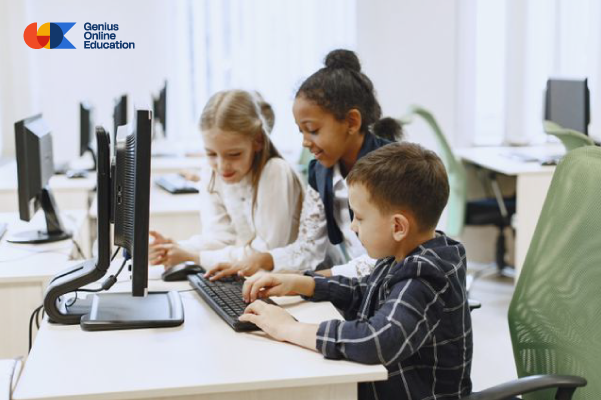
Learning computer basics for kids has become an important step in helping children use technology properly and benefit from it for learning and creativity. Introducing children to computers at an early age does not mean teaching them complicated skills. Instead, it begins with basic skills that help them understand the device and use it safely, followed by gradual development toward areas such as programming, design, and web development.
What Are Computer Basics for Kids?
Computer basics include simple skills children need to use a computer confidently, such as identifying the different parts of a computer, using the keyboard and mouse, opening and closing programs, working with files in a simple way, and learning basic safety rules when using the internet.
1. Learning About Computer Components
Children can begin by learning about basic components such as the screen, keyboard, mouse, computer unit, or laptop, and understanding the function of each part in a simple way suitable for their age.
2. Learning to Use the Mouse and Keyboard
Simple activities can help children practice moving the mouse, clicking, dragging, and dropping, as well as recognizing letters, numbers, and some basic keys on the keyboard.
3. Opening and Using Programs
Children can learn how to open and close educational programs and switch between them while using simple drawing, writing, and educational applications to learn through practice.
4. Learning to Type on a Computer
After becoming familiar with the keyboard, children can gradually practice typing letters and age-appropriate words. This skill can help them use computers for learning, homework, and projects in the future.
5. Organizing Files in a Simple Way
Older children can learn how to save, open, name, and organize files inside folders. These skills help establish organized digital habits from an early age.
6. Learning About the Internet and Digital Safety
It is important for children to learn basic rules for protecting themselves online, such as not sharing personal information or passwords with others and not opening unknown links or files without consulting a parent or guardian.
7. Using Computers for Learning
Computers can be transformed into useful educational tools through reading stories, watching appropriate educational content, drawing, guided research, and interactive activities that help children acquire new skills.
8. Moving from Basics to Programming
After mastering basic skills and when the child is ready, they can gradually move into more advanced fields such as programming, game design, and web page development. This progression helps children use computers as tools for creativity and project creation rather than entertainment alone.
Benefits of Learning Computer Basics for Kids
- Increasing children’s confidence when using technology.
- Developing essential digital skills.
- Improving thinking, focus, and problem-solving skills.
- Teaching children to use computers in a more productive way.
- Preparing children to learn programming and technology in the future.
- Encouraging learning and exploration through digital tools.
How Can a Child Start Learning Computer Basics?
Children should preferably begin with simple steps that match their age and ability to concentrate, relying on play, practice, and interaction instead of lengthy theoretical explanations. It is also important to choose educational content designed for children and avoid introducing advanced skills before they have mastered the basics.
Learning Computers for Kids with Genius Online
Parents can support their child’s educational journey by choosing programs that match their age, skill level, and interests. Genius Online offers educational programs in technology, programming, and design, helping children develop their digital skills and gradually move from the basics to more advanced fields.
Learn more about: Learn Programming Online at the best price in 2026.
Start learning computer basics with your child in a simple and interactive way, and help them build strong digital skills that prepare them for programming and technology with Genius Online.
The Role of Computers in Developing Children’s Skills
Computers are no longer just a form of entertainment. They have become educational tools that can help children develop their skills and abilities when used appropriately for their age and under family guidance. Through educational programs and interactive activities, children can learn, experiment, create, and acquire digital and cognitive skills that can support them in school and in the future.
1. Developing Logical Thinking
Educational programs and programming activities help children organize ideas and understand the relationship between steps and results, supporting logical thinking and their ability to analyze situations.
2. Developing Problem-Solving Skills
When children encounter a problem while using a program or completing a project, they can be encouraged to think about the cause and try different solutions. This approach transforms mistakes into learning opportunities and helps develop problem-solving skills.
3. Enhancing Creativity and Imagination
Computers provide children with various tools for design, drawing, programming, and project creation, helping them turn their ideas and imagination into tangible results rather than simply consuming digital content.
4. Improving Focus and Attention
Some educational digital activities require following specific steps and paying attention to details to achieve the desired result. This gives children an opportunity to practice focus and attention while completing tasks.
5. Developing Learning Skills
Computers can provide access to stories, educational activities, and interactive content, encouraging children to research, explore, and learn in ways that match their interests and skill levels.
6. Acquiring Digital Skills
Guided computer use helps children learn essential digital tools, including keyboards, mice, programs, and files, before gradually progressing to more advanced skills according to their age.
7. Developing Communication Skills
Interactive courses and group projects can help children ask questions, explain their ideas, and collaborate with others, supporting communication, listening, and teamwork skills.
8. Building Self-Confidence
When children successfully complete a design, create a project, or solve a problem independently, they experience a sense of achievement. These experiences can strengthen their confidence and encourage them to try new skills.
9. Turning Children from Users into Creators
One of the most important roles of computers in children’s education is teaching them how to create things rather than simply use them. Programming, design, and web development give children opportunities to build digital projects and express their ideas in a practical way.
10. Preparing for Future Skills
Early digital learning can provide a foundation for future skills in areas such as programming, artificial intelligence, web development, and design, while taking the child’s age and abilities into consideration when choosing the appropriate field.
How Can Children Benefit from Computers in the Right Way?
The goal is not simply to increase screen time, but to focus on content quality and the way technology is used. Therefore, choose educational programs and activities suitable for the child’s age, establish a balanced screen-time routine, participate in activities with them when possible, and encourage them to apply what they learn through practical projects.
Learning Computer Skills with Genius Online
Parents can benefit from suitable educational programs to help children develop their digital and cognitive skills. Genius Online provides programs in programming, technology, design, and other fields, allowing families to choose the learning path that matches the child’s age, skill level, and interests.
Make computers a tool for learning, creativity, and developing your child’s skills, and help them acquire digital and cognitive skills that prepare them for the future with Genius Online.