
If your child loves drawing, colors, and design and has a vivid imagination, learning graphic design principles for children can be a great way to turn this passion into a real skill. Learning design is not limited to using graphic design software; it also helps children develop creativity, imagination, and visual thinking, while giving them the opportunity to express their ideas through colors, shapes, and layouts in a fun way.
Through gradual learning and practical application, children can discover the basics of design, understand how to arrange elements and colors, and create simple designs that express their ideas. With Genius Online, your child can enjoy an interactive learning experience that helps them discover the world of graphic design and develop their creative skills in a way that suits their age and level.
Start your child’s journey to learning graphic design principles and help them turn their ideas and creativity into unique designs with Genius Online.
What Is Graphic Design for Children?
Graphic design for children means teaching children the basics of visual design in a simple, age-appropriate way, allowing them to learn how to use colors, shapes, images, and fonts to create designs that express their ideas. It is not limited to learning how to use design software; it also helps children develop creativity, imagination, the ability to organize ideas, and the ability to turn those ideas into unique visual work.
What Does a Child Learn in Graphic Design?
Children begin by learning a set of basic principles that help them understand design, such as choosing suitable colors, arranging elements, and using fonts and images in an organized way. With practice and training, they can move from creating simple designs to developing more diverse ideas.
- Colors: Understanding how to choose and coordinate colors in an attractive way.
- Shapes: Using shapes and visual elements to build a balanced design.
- Fonts: Understanding the importance of choosing the right font and how to use it.
- Element Arrangement: Learning how to organize images and text within a design.
- Creative Thinking: Turning ideas and imagination into visual designs.
- Practical Application: Creating simple designs that help children practice what they have learned.
Is Graphic Design Suitable for Children?
Yes, learning graphic design for children can be a useful and enjoyable experience, especially for children who love drawing, colors, and technology. The success of the learning experience depends on presenting concepts in a simple and gradual way while giving children room to experiment and be creative instead of focusing only on memorization or theoretical learning.
Benefits of Learning Graphic Design for Children
Learning design helps children develop a range of important skills, such as creativity, visual thinking, concentration, and organizing ideas. It also gives them an opportunity to express themselves in a different way and encourages them to try new ideas and solve design-related problems through thinking, choosing, and comparing.
Learn Graphic Design Online with Genius Online
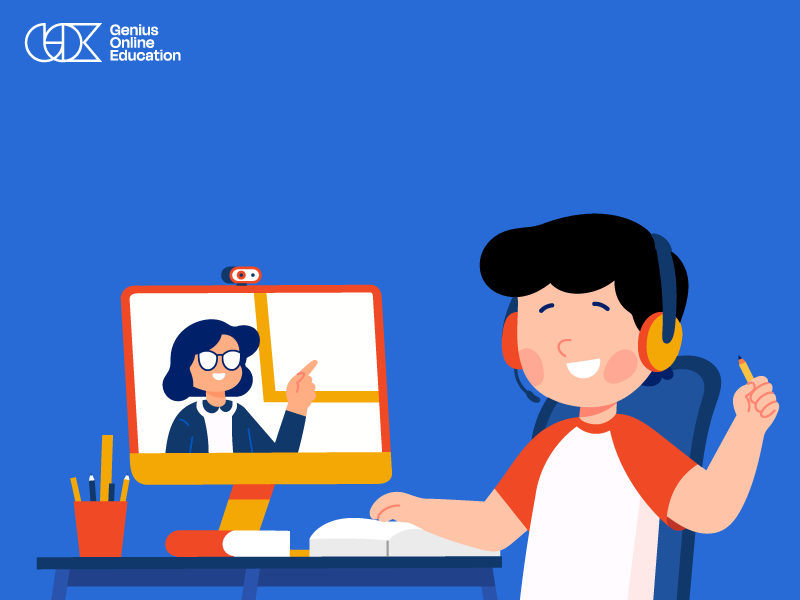
Through Genius Online, children can learn the basics of graphic design through an interactive educational approach that focuses on understanding fundamental principles and practical application. Online learning helps children acquire design skills from home in a flexible way that fits the family’s routine.
Learn more about: Graphic Design Courses for Children 2026
Help your child discover their talent and develop design and creative skills by learning graphic design principles interactively with Genius Online.
Best Graphic Design Course for Children
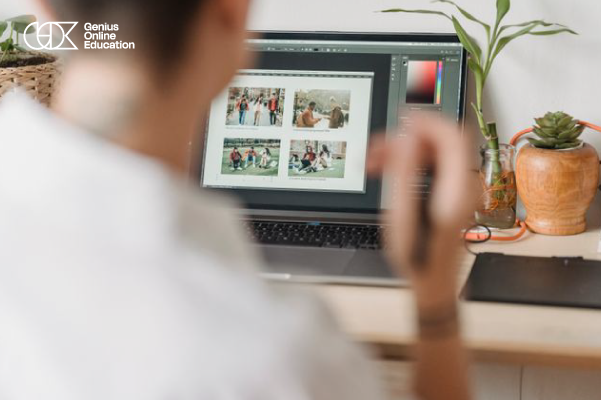
If your child loves drawing, colors, and design and enjoys using technology, learning graphic design can help them turn their ideas into digital designs and develop their creative skills. Genius Online offers a range of courses and programs that help children and teenagers explore different areas of design, starting with design and Photoshop basics and progressing to graphic design, digital art, and motion graphics through an interactive learning experience based on live instruction.
| Course | What Does the Child Learn? | Who Is It Suitable For? |
|---|---|---|
| Graphic Design Diploma | Learning the basics and principles of graphic design while developing creative and visual skills through practical training and creating designs and projects. | Children and teenagers interested in learning design more comprehensively and developing their graphic design skills. |
| Photoshop Basics and Introduction to Design | Learning design fundamentals and using Photoshop tools, along with learning how to work with images and visual elements and create simple designs. | Children and beginners who want to learn Photoshop and design basics from the beginning. |
| Digital Art and Design | Discovering the world of digital art and learning digital drawing and design techniques while using visual elements creatively. | Children and teenagers interested in drawing, art, and digital design. |
| Motion Graphics Beginner | Learning the basics of motion graphics and how to transform elements and designs into animated visual content. | Those interested in design and visual content who want to explore the field of motion graphics. |
How Do You Choose the Right Graphic Design Course for Your Child?
Choosing the right program depends on the child’s age, level, and interests. If the child wants to learn the basics of design and Photoshop, they can start with the introductory level. If they are interested in developing their design skills more comprehensively, the Graphic Design Diploma may be a suitable choice.
Children who love drawing and visual expression may find Digital Art and Design suitable for their interests, while those interested in animated content can explore the basics of Motion Graphics.
What Does a Child Gain from Learning Graphic Design?
Learning graphic design helps children develop creativity, visual thinking, and organization skills. It also gives them an opportunity to express themselves through colors, images, shapes, and fonts. Through practical application, children learn how to transform a simple idea into a clear and complete design.
Learn Graphic Design Online with Genius Online
The design programs at Genius Online allow children to learn from home through a direct and interactive educational experience, helping them participate, practice, and apply what they learn throughout their educational journey. Online learning provides families with greater flexibility while offering children a suitable environment to discover and gradually develop their creative skills.
Learn more about: Graphic Design Courses for Kids
Start your child’s journey to learning graphic design and design principles and help them discover their talent and develop their creative skills with Genius Online.
Graphic Design Basics for Beginners
Learning graphic design basics for beginners is a great starting point for children interested in drawing, colors, and design. Graphic design does not depend only on learning how to use design software; it starts with understanding the principles that make a design clear, balanced, and attractive.
Key Graphic Design Basics
Colors
Children learn how to choose harmonious colors and use them appropriately for the design concept, while understanding the role of colors in highlighting elements and attracting attention.
Fonts
Choosing the right font helps make text clear and consistent with the other design elements. Therefore, beginners learn about different fonts and how to use them effectively.
Element Arrangement
A design needs to organize images, text, and shapes in a way that makes the content easy to understand and visually comfortable. This is known as composition and layout.
Contrast and Spacing
Contrast helps highlight important elements, while empty space gives the design a more organized appearance and prevents the elements from becoming overcrowded.
Practical Application in Learning Design
After understanding the basics, children need to apply what they have learned by creating simple designs and practical projects. This helps develop their skills, identify mistakes, and improve their ideas through practice.
Learn Graphic Design Basics with Genius Online
Genius Online helps children discover the world of design through interactive educational programs that combine understanding basic principles with practical application, with the option to learn online and interact directly during classes.
Learn more about: Basics of Graphic Design for Kids
Help your child discover their talent and learn graphic design basics in a fun and practical way with Genius Online.
Design Skills Children Learn
Learning graphic design for children helps develop a range of creative and digital skills that go beyond simply using design software. Through training and practice, children learn how to turn their ideas into clear and organized designs while gaining skills that can benefit them in their studies and future projects.
1. Creative Thinking
Children learn how to develop new ideas and think of more than one way to create a design, helping them express their imagination visually.
2. Color Selection and Coordination
Children learn how to choose suitable colors and combine them harmoniously while understanding how colors affect the appearance and visual impact of a design.
3. Element Arrangement
Children learn how to arrange images, text, and shapes within a design in an organized way that helps communicate the idea and makes the design clearer.
4. Working with Fonts
Children learn about different types of fonts and how to choose the right font for headings and text while maintaining consistency and readability.
5. Visual Thinking
Design helps children develop their ability to notice details and understand the relationship between colors, shapes, images, and different spaces.
6. Using Design Tools and Software
As children progress in their learning, they begin to explore graphic design tools and software and use them to implement their ideas and turn them into digital designs.
7. Problem-Solving
While creating a design, a child may face a problem with choosing a color, arranging an element, or communicating a particular idea. This trains them to think and search for suitable solutions.
8. Accuracy and Concentration
Design requires attention to details, arranging elements, and reviewing the work before completing it, which helps develop concentration and accuracy in children.
Developing Design Skills with Genius Online
Genius Online helps children develop design skills through interactive learning and practical application, allowing them to learn graphic design basics and use them to create their own ideas and designs.
Learn more about: Children’s Program for Learning Programming, Game Design, and Animation
Help your child develop creativity, visual thinking, and design skills and discover their talent with Genius Online.
Most Popular Graphic Design Software
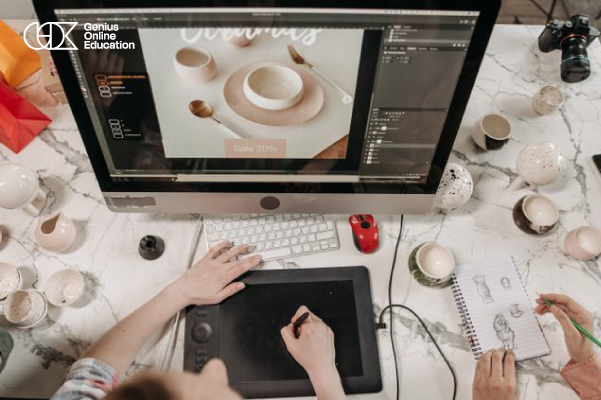
Learning graphic design requires using tools and software that help designers turn their ideas into digital designs. The right software varies depending on the type of design and the skill that a child or beginner wants to develop. Therefore, it is useful to learn about the most popular design programs and their uses.
1. Adobe Photoshop
Photoshop is one of the most popular programs for design and photo editing. It is used for editing images, creating designs, adding effects, and working with layers and various visual elements.
2. Adobe Illustrator
Illustrator is mainly used to create vector graphics, logos, icons, and shapes. It helps designers create elements that can be enlarged or reduced while maintaining their quality.
3. Adobe InDesign
InDesign is used to design pages, printed materials, books, magazines, and brochures. It helps organize text and images within well-structured layouts.
4. Canva
Canva is known for its ease of use. It can be used to create social media posts, presentations, posters, invitations, and many other designs in a simple way, making it suitable for beginners.
5. Adobe Express
Adobe Express provides easy-to-use tools for quickly creating designs and visual content. It can be used to create posts and a variety of digital designs.
How Can a Child Choose the Right Graphic Design Program?
A child does not need to learn all design programs at the same time. It is better to start with a program that matches their level and interests, then gradually move on to more advanced tools and software as their skills develop.
Learn Graphic Design Software with Genius Online
Genius Online helps children discover the world of design through interactive educational programs and practical applications, enabling them to understand graphic design basics and use design tools gradually in a way that suits their level.
Learn more about: Photoshop work for photos
Help your child discover the world of graphic design and learn how to use design tools in a practical and interactive way with Genius Online.
Benefits of Learning Design for Children
Learning design for children is a skill that combines creativity and technology. It not only helps children create attractive images and designs but also gives them an opportunity to develop their way of thinking and express their ideas visually. With age-appropriate training, design can become a fun way to discover their talents and develop their skills.
1. Developing Creativity and Imagination
Design helps children come up with new ideas and experiment with colors, shapes, and images, giving them space to express their imagination and turn their ideas into visual work.
2. Developing Visual Thinking
Children learn how to notice details and understand the relationship between colors, fonts, shapes, and the arrangement of elements, helping them develop the ability to think visually and systematically.
3. Improving Concentration and Accuracy
Creating a design requires attention to details, reviewing elements, and arranging them. Therefore, design practice can help develop children’s concentration and accuracy.
4. Developing Problem-Solving Skills
While creating a design, children may need to think about how to arrange elements, choose colors, or modify a particular idea. This encourages them to try different solutions to achieve the desired result.
5. Expressing Ideas
Design gives children a new way to express their ideas, feelings, and interests through images, colors, and shapes instead of relying only on words.
6. Acquiring Digital Skills
Learning design programs and tools helps children use technology creatively and gives them practical experience with digital tools instead of using technology only for entertainment.
7. Increasing Self-Confidence
When children finish a design of their own and see the result of their efforts, they experience a sense of achievement that encourages them to try new ideas and continuously develop their skills.
8. Discovering Talents Early
Learning design can help identify a child’s creative interests from an early age, especially if they enjoy drawing, colors, technology, and working on projects.
Learn Design for Children with Genius Online
Genius Online helps children discover the world of graphic design through interactive educational programs that combine learning basic principles with practical application, giving children the opportunity to develop their creative and digital skills in an age-appropriate way.
Learn more about: Photoshop Basics for Children
Give your child the opportunity to discover their talent and develop creativity, thinking, and design skills through interactive learning with Genius Online.
How Does Design Develop Creativity in Children?
Learning design for children helps develop creativity by giving children space to experiment and innovate and turn their ideas and imagination into visual designs. Instead of following only one way to solve a problem, children learn to think of multiple ideas and choose the colors, shapes, and elements that best suit what they want to create.
Design Gives Children Freedom of Expression
Children can use colors, images, shapes, and fonts to express their ideas and interests. This freedom helps them develop their own style instead of always relying on copying other people’s designs.
Encouraging Children to Try New Ideas
While creating a design, children can experiment with different colors, shapes, or arrangements of elements, then compare the results and choose the best option. This experience encourages curiosity and helps them become more comfortable with trying different ideas.
Developing Problem-Solving Skills
A child may face a problem while designing, such as colors that do not work well together or an overcrowded layout. They then begin thinking about different solutions until they achieve a suitable result, connecting creativity with thinking and problem-solving.
Turning Imagination into Reality
A child may have an idea in their imagination but not know how to express it. By learning design, they begin using digital tools to turn that idea into an image or design that can be seen and shared.
Building Confidence in Ideas
When children complete a design they created themselves, they feel a sense of achievement. This encourages them to continue trying new ideas and developing their creative skills.
Learn Design with Genius Online
Genius Online helps children develop creativity by learning graphic design in an interactive and practical way. Children learn the basics of design and apply them to work and projects that help them express their ideas.
Learn more about: Teaching Photoshop for Kids
Help your child turn their imagination and ideas into creative designs and discover their talent in the world of graphic design with Genius Online.
Graphic Design Projects for Children
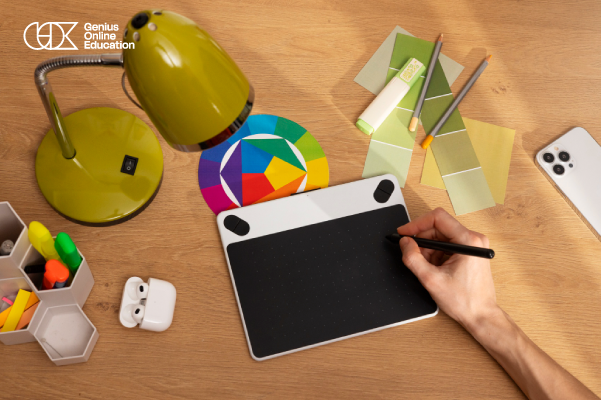
Graphic design projects for children help transform the design principles children learn into enjoyable practical applications. By completing simple projects, children can experiment with colors, fonts, images, and element arrangement while developing creativity, concentration, and the ability to turn their ideas into digital designs.
Graphic Design Project Ideas Suitable for Children
- Greeting Card Design: Create a birthday or special occasion card using suitable colors, images, and fonts.
- Poster Design: Choose a topic the child likes and create a simple poster combining a title, images, and visual elements.
- Logo Design: Create a simple logo for an imaginary idea or project, choosing colors and shapes that represent it.
- Cover Design: Design a cover for an imaginary story or book using an image, title, and suitable layout.
- Social Media Post Design: Create a simple post about an educational topic or hobby the child enjoys.
- Cartoon Character Design: Create a simple character, choose its colors and appearance, and then use it in a digital design.
What Does a Child Learn from Creating Projects?
The benefits of projects are not limited to producing an attractive design. Children learn how to plan an idea, choose colors, arrange elements, review the design, and correct mistakes. Projects also help them experiment with multiple ideas and choose the best solution.
The Role of Projects in Developing Creativity
When children receive a project idea and are given the freedom to choose how to implement it, they begin using their imagination and making decisions independently. This makes learning design more interactive and encourages innovation instead of simply copying a ready-made design.
Graphic Design Projects with Genius Online
Effective graphic design learning depends on combining an understanding of design basics with practical application. With Genius Online, children can learn design principles and use digital tools to create ideas and projects that help them develop their creative skills step by step.
Encourage your child to turn their ideas into creative projects and designs and start their graphic design learning journey in a practical and interactive way with Genius Online.