
Becoming familiar with designing a web page using HTML is one of the best steps beginners and children interested in learning programming and web development can take. Instead of simply using websites and applications, learners can discover how web pages are built from the ground up and how text, images, headings, and different elements are organized within a page.
HTML is known for the simplicity of its fundamentals compared with many programming languages, making it a suitable starting point for understanding how websites work and learning the basics of web development. With practice and hands-on training, learners can move from creating a simple page to designing more organized pages, and then learn CSS and JavaScript to add styling and interactivity.
Through gradual learning and practical application, children do not simply memorize HTML code; they learn how to use it to create a real project that they can view and develop themselves. This approach makes learning web design more enjoyable while helping develop logical thinking and creativity and turning ideas into digital projects.
💻 Start learning how to design web pages using HTML with Genius Online today, and help your child gain web development skills and turn their ideas into digital projects.
What Is HTML for Kids?
HTML is one of the most important technologies that children interested in web design and programming can start learning. It helps them understand how web pages are built and how their content is organized. By learning the basics of HTML, children can move from simply using websites to understanding how to create a web page themselves.
HTML relies on a set of elements and tags that define the content of a page, such as headings, paragraphs, images, links, and lists. Children can therefore learn it gradually by writing simple code and viewing the result directly in the browser, making the learning experience practical and interactive.
What Does a Child Learn from HTML?
- How to create a simple web page.
- How to add headings, paragraphs, and text.
- How to insert images and links into a page.
- How to create lists, tables, and different elements.
- Understanding the structure of a web page and how its content is organized.
- Learning the basics of web development.
Is HTML a Programming Language?
HTML is not a programming language in the traditional sense; rather, it is a markup language used to build the structure of web pages. Learning it is an essential step toward understanding web development. Children can then move on to CSS to style pages and JavaScript to add interactivity and programming functionality.
Why Should Children Learn HTML?
Learning HTML helps children understand the basics of web design in a practical way and gives them the opportunity to create simple web pages themselves. When working on a real project, children can see the results of the code they write, which increases their enthusiasm and encourages them to develop their skills.
Is HTML Suitable for Beginners and Children?
Yes, HTML can be a good starting point for children interested in web development, especially when it is taught gradually in a way that matches the child’s age and skill level. Skills can then be developed by learning CSS and JavaScript and moving on to more advanced web development paths.
Learn HTML for Kids with Genius Online
Through Genius Online, children can learn the basics of web development through a gradual learning path that begins with fundamental concepts and then moves on to web development technologies. Practical learning helps children apply concepts by creating simple pages and projects rather than relying only on theoretical explanations.
Learn more about: How to Teach Programming? Best Methods and Steps for Beginners
Start learning HTML and web development with your child in an easy and interactive way with Genius Online, and help them build their first digital projects step by step.
Best HTML Course for Kids

If your child is interested in web design and wants to understand how web pages are created, the Static Web Pages Using HTML5 and CSS3 course from Genius Online can be a suitable starting point for learning the basics of web development. The course focuses on creating web pages and understanding how their content is built and formatted, helping children move from simply using websites to learning how to design them themselves. Genius Online explains that this learning path teaches students how to create websites and understand the fundamentals of web development.
What Does a Child Learn in the HTML5 and CSS3 Course?
- Understanding the basics of building web pages.
- Learning about HTML5 elements and using them to organize page content.
- Adding text, headings, and different elements to web pages.
- Using CSS3 to style websites and improve their appearance.
- Understanding the relationship between HTML, which is responsible for the page structure, and CSS, which is responsible for the design.
- Applying what they learn by creating practical web pages.
Why Should a Child Start Learning HTML?
HTML is one of the important fundamentals of web development. It helps children understand how web pages are built before moving on to more advanced technologies. Seeing the result of the code directly on the web page also makes learning practical and encourages children to experiment and develop their ideas.
What Does a Child Learn After HTML and CSS?
After building a strong foundation in HTML5 and CSS3, children can expand their skills by learning JavaScript to understand how to add interactivity and dynamic functionality to web pages. Genius Online also offers the JavaScript: Make the Web Alive course as part of its web development learning paths.
Is an HTML Course Suitable for Beginners?
Yes, learning HTML and CSS can be a suitable starting point for children interested in web design, especially when concepts are presented gradually and practically. After mastering the fundamentals, children can move on to JavaScript and then expand their knowledge into more advanced web development.
Learn HTML for Kids with Genius Online
Genius Online provides a gradual path for learning web development that starts with HTML5 and CSS3, followed by JavaScript and other web development technologies. This gradual approach helps children build their skills step by step and complete practical projects instead of relying only on theoretical information.
Learn more about: Computer Languages for Kids from programming basics to artificial intelligence
Start learning HTML for kids with Genius Online today, and help your child discover the world of web design and build their first digital projects.
Benefits of Learning Web Design for Kids
Learning web design for kids is no longer just a technical skill; it has become a way to help children discover their abilities and turn their ideas into real digital projects. By learning HTML and CSS and then moving on to web development technologies, children learn how websites are built and gain a range of programming and creative skills that can benefit them throughout their future learning journey.
1. Understanding the Basics of Web Development
Web design helps children understand how web pages are built and their content is organized, as well as the role of technologies such as HTML, CSS, and JavaScript in creating and developing websites.
2. Developing Logical Thinking
Children learn how to arrange page elements, organize code, and follow specific steps to achieve a particular result, which helps develop logical and organized thinking.
3. Developing Problem-Solving Skills
While designing a website, children may encounter coding errors or problems with how elements appear. They learn to identify the cause and try different solutions until they achieve the desired result.
4. Enhancing Creativity
Web design gives children plenty of room for creativity. They can choose the page content, organize elements, develop new ideas, and turn them into a digital design they can view and modify.
5. Learning a Practical Skill Through Application
Instead of studying theoretical concepts alone, children can apply what they learn by creating web pages and simple projects, helping them reinforce information and turn it into a practical skill.
6. Building Self-Confidence
When a child successfully creates a web page that works correctly, they experience a sense of achievement and gain greater confidence in their ability to learn new technologies and build their own projects.
7. Developing Self-Learning Skills
Web design encourages children to experiment and search for solutions when they encounter a problem, helping them develop a habit of learning, exploration, and independent skill development.
8. Combining Programming and Design
Web design combines technical and creative skills. Children learn to write code while also paying attention to the page’s appearance and content arrangement, making it a suitable field for children who enjoy both programming and design.
9. Preparing for Advanced Programming
The basics of web design can be a starting point for more advanced fields. After HTML and CSS, children can learn JavaScript and then move into web development, applications, and other technical fields.
10. Turning Ideas into Digital Projects
Children can use web design skills to create a personal page, school project, or website about a favorite hobby, helping them turn their ideas into digital products that can be further developed.
11. Improving Focus and Attention
Writing code and designing web pages require attention to detail, such as arranging elements and writing tags correctly. This helps children improve their focus and accuracy while working on their projects.
12. Learning Future-Ready Skills
Learning web design gives children a technical foundation that can be developed over time and opens opportunities to explore various digital fields based on their future interests and abilities.
Learn Web Design for Kids with Genius Online
Children interested in web design can start through the HTML5 and CSS3 learning path at Genius Online, then move on to JavaScript and other web development technologies. Gradual learning and practical projects help children become more capable of applying what they learn and building their own projects.
Learn more about: Programming and Artificial Intelligence for Kids: Future Skills Step by Step
💻 Help your child gain web design, programming, and creative skills through practical learning with Genius Online, and start building future-ready skills step by step.
Why Should Children Learn to Design Web Pages?

Learning web page design for children has become a valuable opportunity to help children understand technology in a practical and creative way. Instead of simply browsing websites and using applications, children can learn how web pages are built and how to turn their ideas into digital projects they can develop themselves.
1. Understanding How Websites Work
Learning web page design helps children understand how website content is organized and learn about the role of technologies such as HTML, CSS, and JavaScript in creating and developing web pages.
2. Turning Ideas into Digital Projects
Children can use what they learn to create a personal page, simple website, or educational project, giving them the opportunity to turn their ideas into real results instead of simply using ready-made websites.
3. Developing Logical Thinking
Web page design requires arranging elements, organizing content, and following specific steps, which helps children develop logical and organized thinking while working on projects.
4. Developing Creativity
Web design gives children the freedom to choose the page layout and arrange content, images, and colors, helping them combine technical and creative skills in one project.
5. Learning In-Demand Technical Skills
Children start by learning the basics of HTML and can then move on to CSS, JavaScript, and other web development technologies. This gives them a foundation that can be developed in the future in the field of web development and programming.
6. Improving Problem-Solving Skills
When a problem occurs in the page design or an element does not work as expected, children learn to identify the cause and try different solutions until they achieve the desired result.
7. Building Self-Confidence
When children successfully create a functional web page, they experience a sense of achievement and gain confidence in their ability to learn new technical skills and complete their own projects.
8. Preparing for Advanced Programming
Web page design can be a good introduction to broader fields. After learning HTML and CSS, children can study JavaScript and then move on to application development, programming, and other technical specializations according to their interests.
9. Learning Through Application
Web page design makes it possible to see the result of code directly in the browser. This allows children to connect what they write with what appears in front of them, making learning clearer and more interactive.
Learn Web Page Design for Kids with Genius Online
At Genius Online, children can start learning the basics of web development through HTML5 and CSS3, then move on to JavaScript and other technical learning paths. Gradual learning and practical projects help build skills step by step according to the child’s level and interests.
Learn more about: Learn Programming Online at the Best Price in 2026
Start learning web page design for your child with Genius Online today, and help them turn their ideas into digital projects while gaining future-ready technical skills.
HTML Basics for Beginners
Learning HTML basics for beginners is an important step for anyone who wants to enter the world of web page design and development. HTML has simple fundamental concepts, making it a suitable starting point for children and beginners to understand how web pages are built and their content is organized before moving on to more advanced technologies such as CSS and JavaScript.
What Is HTML?
HTML is a markup language used to build the structure of web pages. It is used to define headings, paragraphs, images, links, lists, and other elements that appear on a website.
1. Understanding the HTML Page Structure
An HTML page consists of a set of organized elements. Beginners start by learning the basic page structure and the sections that contain page information, settings, and content visible to users.
2. Learning About Tags
HTML relies on tags to define the type of each element within a page. Examples of basic tags include:
- <h1> for main headings.
- <p> for paragraphs.
- <a> for adding links.
- <img> for adding images.
- <ul> and <li> for creating lists.
3. Adding Headings and Paragraphs
Beginners learn how to organize page content using headings at different levels, as well as how to write paragraphs in a way that makes content clearer and more organized.
4. Adding Images
HTML allows images to be added to web pages using the appropriate tag and specifying the image source, helping beginners create more engaging and visually appealing pages.
5. Creating Links
One of the fundamentals of HTML is learning how to create links that take users to other pages or different websites. Links are essential elements found on most web pages.
6. Creating Lists
HTML can be used to create ordered and unordered lists, helping organize information and display it in an easy-to-read format.
7. Using Tables
Beginners learn how to create tables to organize data into rows and columns while understanding the basic elements that make up tables.
8. Understanding Attributes
Some HTML elements contain Attributes that provide additional information about the element or define how it works, such as specifying an image source or link destination. Understanding attributes is therefore an important part of HTML fundamentals.
9. Writing the First Web Page
After understanding the basic elements, beginners can apply what they have learned by creating a simple web page containing a heading, paragraphs, images, links, and lists, then opening it in a browser to view the result.
What Does a Child Learn After HTML Basics?
After mastering HTML basics, children can move on to CSS to style pages and control colors, fonts, spacing, and layouts, followed by JavaScript to add interactivity and programming functionality to web pages.
Learn HTML for Beginners with Genius Online
Genius Online can be a suitable starting point for children interested in learning web design through the Static Web Pages Using HTML5 and CSS3 learning path, where children learn the basics of building and styling web pages through learning and practical application.
Learn more about: Learning Python from Scratch at the best price in 2026
Start learning HTML basics for beginners with Genius Online today, and help your child create their first web page and build a strong foundation in web development.
Steps to Design Your First Web Page with Genius Online
Designing your first web page is an exciting step for children and beginners who want to discover the world of web development. By learning the basics of HTML and CSS, children can understand how web pages are built and their content is organized, then apply what they have learned in a simple practical project. With Genius Online, children can move from basic concepts to creating their first web page through a gradual and interactive learning experience.
1. Learn the Basics of Web Pages
The journey begins by understanding how web pages work and learning about the basic elements that make up a page, such as headings, paragraphs, images, links, and lists.
2. Learn HTML to Build the Page
Children learn how to use HTML to create the page structure and organize its content. They learn about basic tags and how to use them to add text, headings, images, links, and different elements.
3. Create the Basic Page Structure
After understanding the tags, children begin creating the basic structure of their first web page and then add the content they want to display in an organized way.
4. Add Text, Headings, and Images
Children can make their page clearer and more appealing by adding a main heading, paragraphs, images, and links, giving them the opportunity to see the results of the code they write directly.
5. Use CSS to Style the Page
After creating the page structure with HTML, children learn the basics of CSS to control the appearance of the page, including colors, fonts, spacing, and element arrangement, transforming a simple page into a more attractive design.
6. Experiment with Changes and View the Results
One of the most important stages of learning is allowing children to experiment with changing the code and observing its effect on the page. This method helps them understand the relationship between code and results while encouraging exploration and experimentation.
7. Fix Errors
Some errors may occur while designing the page. Children learn how to review the code, identify the problem, and correct it. This stage helps develop logical thinking and problem-solving skills.
8. Create a Simple Web Page Project
After learning the basics, children can complete a simple project such as an introduction page, a page about a favorite hobby, or an educational project, applying the HTML and CSS skills they have learned to a real project.
9. Develop the Page and Add New Ideas
Children can be encouraged to develop their projects by adding new elements or improving the design, helping them develop creativity and turn their own ideas into digital projects.
10. Move on to JavaScript
After building a strong foundation in HTML and CSS, children can move on to JavaScript: Make the Web Alive to learn how to add interactivity, animation, and programming functionality to web pages, then gradually expand their web development skills.
Learn to Design Your First Web Page with Genius Online
Genius Online helps children learn the basics of web development through the Static Web Pages Using HTML5 and CSS3 learning path, after which they can move on to JavaScript and other web development technologies. The focus on practical application makes children more capable of using what they learn to complete their own projects.
Learn more about: Ideas for Developing Children’s Skills — Best Activities and Methods with Genius Online
Start designing your child’s first web page with Genius Online today, and help them learn HTML and CSS while turning their ideas into a real web project step by step.
Most Important HTML Tags to Learn
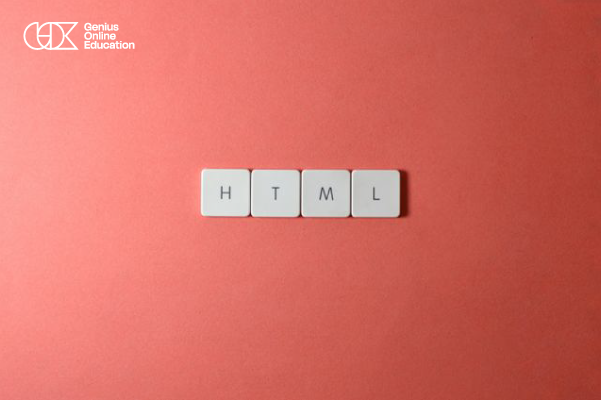
Learning the most important HTML tags is one of the essential steps for every beginner who wants to learn how to design web pages. These tags help build the page structure and organize text, images, links, lists, tables, and other elements. By understanding the purpose of each tag and practicing how to use it, children can gradually move from writing simple code to creating complete web pages.
1. Main Heading Tag <h1>
The <h1> tag is used to write the main heading of a page. It is one of the most important elements for organizing page content and clarifying its topic.
2. Heading Tags <h2> to <h6>
The <h2> to <h6> tags are used to create different heading levels, helping divide page content into clear and easy-to-read sections.
3. Paragraph Tag <p>
The <p> tag is used to add paragraphs and text to a web page and is one of the most frequently used tags when creating content.
4. Link Tag <a>
The <a> tag allows you to create links that users can click to navigate to another page, website, or specific section of the page.
5. Image Tag <img>
The <img> tag is used to add images to web pages. The image source can be specified using the appropriate attribute, along with alternative text to improve accessibility.
6. <div> Tag
The <div> tag is used to group multiple elements within one section of a page and is widely used to organize and style web page designs with CSS.
7. <span> Tag
The <span> tag is used to identify a small part of text or content for separate styling or handling, especially when using CSS or JavaScript.
8. List Tags <ul>, <ol>, and <li>
The <ul> and <ol> tags are used to create unordered and ordered lists, while <li> is used to add each item within a list.
9. Table Tags <table>, <tr>, <th>, and <td>
Table tags are used to create structured data in rows and columns. The <table> tag creates the table, <tr> defines a row, <th> defines heading cells, and <td> defines data cells.
10. Form Tag <form>
The <form> tag is used to create forms that allow users to enter data, such as registration, login, and contact forms.
11. Input and Button Tags <input> and <button>
The <input> tag is used to add different input fields, while the <button> tag is used to create buttons that users can interact with.
12. <br> Tag
The <br> tag is used to add a line break within text when a new line is needed.
13. <strong> Tag
The <strong> tag gives semantic importance to text and usually displays the text inside it in bold in the browser.
14. <head> and <body> Tags
Understanding <head> and <body> is one of the fundamentals of building an HTML page. The <head> contains page information and settings, while the <body> contains the content displayed to users on the page.
15. <title> Tag
The <title> tag is used to define the web page title that usually appears in the browser tab and is an essential element of every HTML page.
Why Should Children Learn the Most Important HTML Tags?
Learning these tags helps children understand how web pages are built and how their content is organized. It also gives them a strong foundation for moving on to CSS to style pages and then JavaScript to add interactivity and programming functionality.
By practicing through simple projects, children can turn what they learn into practical applications, such as creating an introduction page, a page about a favorite hobby, or an educational project.
Learn HTML for Kids with Genius Online
Children interested in web design can start through the Static Web Pages Using HTML5 and CSS3 learning path at Genius Online, then gradually develop their skills by learning other technologies such as JavaScript and web development.
Learn more about: Summer Courses for Kids — Make the Most of the Vacation with Genius Online
Start learning HTML for kids and beginners with Genius Online today, and help your child understand the basics of web design and build their first web pages.
HTML Projects for Kids
HTML projects for kids help turn learning code and tags into an enjoyable practical experience. Children can apply what they learn by creating real web pages instead of simply memorizing information. They can start with simple projects suitable for beginners and gradually develop them by adding CSS and JavaScript.
1. An Introduction Page About the Child
Children can create a simple web page containing their name, hobbies, interests, an appropriate image, and some information they would like to share. This is one of the best HTML projects for beginners because it helps them practice headings, paragraphs, images, and links.
2. A Page About a Favorite Hobby
Children can design a page about football, drawing, reading, games, or any hobby they enjoy, adding headings, images, text, and lists to organize the content.
3. A Page About Favorite Animals
Children can choose a group of animals and create a page containing an image, name, and simple information about each animal. This project helps them practice using images, headings, paragraphs, and lists.
4. A Recipe Page
Children can create a page containing the name of a favorite recipe, ingredients, preparation instructions, and images. This project allows them to use headings, lists, and paragraphs in a practical way.
5. A Simple Personal Page
After learning the basics, children can create a personal page containing a short introduction, skills, hobbies, and links to their projects. The page can later be developed using CSS to create a more attractive design.
6. A School Page
Children can design a page displaying information about their school, favorite subjects, or activities, using tables, lists, and images to organize the content clearly.
7. An Informational Page About a City or Country
Children can choose a city or country they like and create a page containing information about it and images of important places and landmarks, combining learning, research, and HTML practice.
8. A Study Schedule Page
Children can create a simple table to organize school subjects, days of the week, and class times, helping them practice creating tables using HTML.
9. A Favorite Books List Page
Children can create a page featuring a collection of books they enjoy, adding the name of each book, an image, a short description, and a link to additional information.
10. A School Project Page
HTML can be used to create a page showcasing a complete school project, where children can include the title, introduction, images, information, lists, and sources on one page.
How Can Children Develop Their HTML Projects?
After completing a project using HTML, children can move on to CSS to add colors, fonts, formatting, and improve the page’s appearance. They can then learn JavaScript to add interactivity, animation, and programming functionality.
HTML Projects for Kids with Genius Online
Practical learning at Genius Online helps children apply the concepts they learn instead of relying only on theoretical explanations. They can start with the fundamentals of HTML5 and CSS3, then gradually move on to JavaScript and other web development technologies, helping them build their skills and complete more advanced projects.
💻 Start simple and fun HTML projects with your child, and help them turn their ideas into real web pages while developing their web design skills with Genius Online.