
How to teach programming to children has become one of the most important skills that can help them understand technology and develop abilities they will need in their studies and future careers. Programming is not limited to writing code; it also helps children develop logical thinking, problem-solving skills, organization, and the ability to turn their imagination into games, applications, and digital projects.
To make the learning experience enjoyable and effective, it is important to choose a teaching method that suits the child’s age, level, and interests. The process should begin with basic concepts and gradually introduce programming languages through practice and hands-on projects. With a clear learning path, children can steadily develop their programming skills without feeling that learning is difficult or complicated.
Through Genius Online, your child can start their programming journey from scratch through progressive learning paths covering programming principles, Python, JavaScript, web development, applications, and other technical fields. This allows them to develop future-ready skills and turn their ideas into real digital projects.
Best Programming Courses for Kids
Choosing the best programming courses for kids depends on the child’s age, level, and interests. The right starting point helps children understand programming easily before gradually moving on to more advanced languages and technologies. Genius Online offers programming learning paths that start with programming principles for kids and extend to Python, web development, databases, algorithms, and other technical fields.
| Course | Who Is It Suitable For? | What Will the Child Learn? |
|---|---|---|
| Programming Principles Course for Kids | Children aged 7 to 11, especially beginners. | Programming basics, logical thinking, and problem-solving through learning and hands-on projects. |
| Programming Diploma for Kids | Children aged 11 to 18 who want a comprehensive programming path. | A progressive path covering programming, project development, and technical skills. |
| Coding with Python – Level 1 | Learners with a suitable foundation who want to start learning Python. | Writing Python code, understanding programming basics, and creating practical projects. |
| Python: The Advanced Step | Children with previous knowledge of Python. | Developing Python skills and progressing to more advanced programming concepts and projects. |
| JavaScript: Make the Web Alive | Children interested in website development and interactive applications. | Understanding JavaScript and adding interactivity, movement, and functionality to web pages. |
| Static Web Pages with HTML5 and CSS3 | Children interested in website design and development. | Building, styling, and designing web pages using HTML5 and CSS3. |
| Backend Course Using Node.js | Learners who want to expand their web development skills. | Learning backend development and working with servers and data. |
| Database (SQL) | Learners with a programming foundation who want to understand data and databases. | Creating, organizing, managing, and working with data inside applications. |
| Data Structures and Algorithms | Children who want to improve their programming skills. | Developing algorithmic thinking, organizing data, and building more efficient programming solutions. |
| Data Analysis Using Python | Learners with a Python foundation who want to work with data. | Analyzing data and extracting information and insights using Python. |
| Software Testing | Learners interested in software quality and finding errors. | Learning software testing, identifying errors, and improving application quality. |
How Do You Choose the Best Programming Course for Your Child?
If your child is learning programming for the first time, the Programming Principles Course is a suitable starting point for children aged 7 to 11. Older children who want a more comprehensive path can choose the Programming Diploma for Kids, which is designed for ages 11 to 18.
After building a programming foundation, children can move on to Python, then expand into web development, databases, algorithms, and data analysis according to their level and interests. Genius Online courses also emphasize practical application and projects as part of the learning experience.
Learn more about: Computer Languages for Kids from programming basics to artificial intelligence
💻 Start teaching your child programming today with Genius Online, and choose the course that matches their age and level to help them build their programming skills step by step.
Benefits of Programming for Developing Children’s Skills
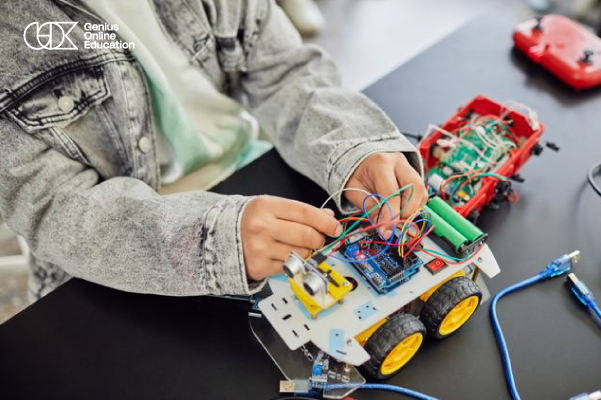
Learning programming for kids is not limited to acquiring the ability to write code. It also helps children develop a range of mental and practical skills that can benefit them in their studies, projects, and future lives. By analyzing problems, writing instructions, testing solutions, and fixing errors, children learn how to think systematically and turn their ideas into tangible results.
1. Developing Logical Thinking
Programming trains children to organize ideas and instructions logically and understand the relationship between each step and its outcome. This helps them approach problems in a more organized way.
2. Developing Problem-Solving Skills
While writing programs, children encounter various challenges and errors. They learn to analyze problems, break them down into smaller parts, and search for appropriate solutions, making this one of the most valuable skills they can use in different fields.
3. Enhancing Algorithmic Thinking
Children learn how to turn a problem into a series of organized steps that can be executed to reach a specific result. This helps them understand algorithms and develop a more precise way of thinking.
4. Developing Creativity and Innovation
Programming gives children the opportunity to turn their ideas into games, programs, websites, applications, and interactive projects. This encourages them to create new ideas and solutions instead of simply using ready-made tools.
5. Improving Focus and Attention
Writing code requires attention to detail, organizing commands, and identifying errors. This helps children improve their ability to focus while working on programming projects.
6. Building Patience and Persistence
A programming project may not work on the first attempt. Children therefore learn to try different solutions, fix errors, and keep working until they reach the desired result, helping them develop persistence.
7. Increasing Self-Confidence
When children successfully create a project, game, or program using what they have learned, they experience a sense of achievement and become more confident in their ability to learn and create things independently.
8. Developing Critical Thinking
Programming helps children evaluate different solutions, compare results, and choose the most effective way to complete a task. This supports their ability to think, analyze, and make decisions.
9. Developing Self-Learning Skills
Through programming, children learn to search for information, experiment with commands, and identify errors. This encourages them to learn and explore rather than always waiting for a ready-made solution.
10. Turning Ideas into Projects
One of the most important benefits of programming is that it gives children a practical way to turn a simple idea into a digital project that can be tested and developed. This combines thinking, creativity, and execution.
11. Preparing for Future Technical Skills
Learning programming can provide a strong foundation for future development in areas such as application and website development, game development, data analysis, and artificial intelligence, depending on the child’s interests and level.
12. Developing Your Child’s Skills with Genius Online
Genius Online helps children learn programming through progressive learning paths that begin with Programming Principles and can then move on to Python, web development, applications, and other fields. Focusing on practical application and projects gives children the opportunity to use the skills they learn to create real projects and turn their ideas into practice.
Learn more about: Programming and Artificial Intelligence for Kids: Future Skills Step by Step
💻 Help your child develop thinking, creativity, and problem-solving skills through programming with Genius Online, and start building future-ready skills step by step.
Best Ways to Teach Programming to Kids
The success of teaching programming to kids depends on choosing a method that suits the child’s age, level, and interests, while focusing on understanding and application rather than memorizing code. The more enjoyable and gradual the learning experience is, the more motivated children become to continue learning and discover their potential in programming and technology.
1. Start with Programming Principles
It is best for children to begin by understanding basic concepts such as the sequence of commands, variables, conditions, loops, and algorithms before moving on to more advanced programming languages.
2. Learn Through Games and Projects
Games and interactive projects make programming more enjoyable and give children an opportunity to apply what they have learned and turn code into tangible results they can see and experience.
3. Choose a Language That Suits the Child’s Age
A programming language or educational tool should match the child’s level. Younger children can start with visual programming, while older children can move on to languages such as Python or JavaScript according to their goals.
4. Focus on Practical Application
It is not enough for children to learn programming rules theoretically. They need to create simple projects and gradually develop them. This helps reinforce concepts and strengthen their problem-solving abilities.
5. Teach Children How to Identify Errors
Errors are a natural part of learning programming. Children should therefore be trained to read programming errors, identify the cause of a problem, and try different solutions rather than becoming frustrated when their code does not work on the first attempt.
6. Learn Gradually
It is best to divide the learning journey into clear levels so children can move from simple concepts to more advanced projects after mastering each stage, without overwhelming them with too much information at once.
7. Connect Programming to the Child’s Interests
If a child loves games, they can be guided toward game design projects. If they are interested in websites or applications, a learning path that helps them bring these ideas to life can be chosen. This increases their motivation to learn.
8. Encourage Children to Build Their Own Ideas
After learning the basics, it is useful to give children the freedom to choose a project idea and implement it themselves. This develops creativity and independence and helps them use programming as a tool for creating solutions.
9. Learn Online in an Interactive Way
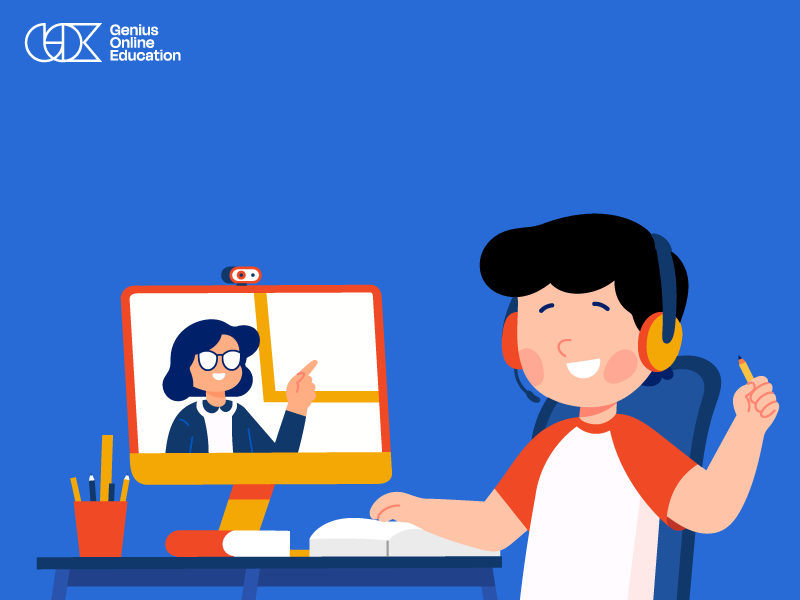
Online programming for kids can be an effective option when it is based on interaction, practice, and projects, with a trainer who helps children understand concepts, correct errors, and track their progress.
10. Keep Practicing
Programming requires continuous practice. Therefore, it is better to set aside regular time for learning and application rather than studying a large amount of content and then stopping for long periods.
Teaching Programming to Kids with Genius Online
Genius Online provides progressive learning paths that help children start with Programming Principles and then move on to Python, website and application development, and other technical fields. Combining learning with practical application helps children build their programming skills and discover the field that best matches their interests.
Learn more about: Learn Programming Online at the Best Price in 2026
💻 Start teaching your child programming today through an interactive and practical approach with Genius Online, and help them develop programming, problem-solving, and creativity skills step by step.
When Should a Child Start Learning Programming?
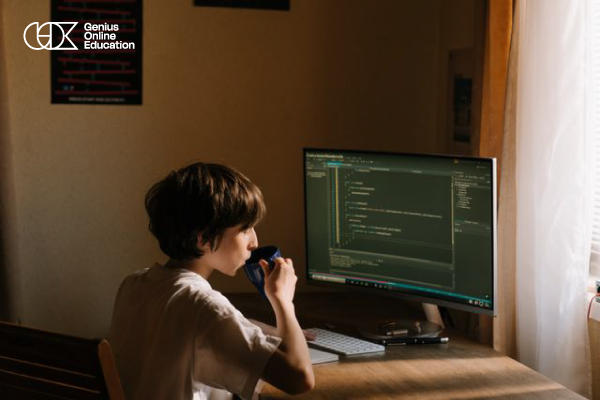
A child can start learning programming at an early age, but the appropriate age varies from one child to another depending on their ability to focus and understand, as well as their interest in technology. More important than choosing a specific age is selecting a teaching method that matches the child’s developmental stage and presents programming concepts gradually and enjoyably.
Can Young Children Learn Programming?
Yes. Programming concepts can be introduced to young children through educational activities and games based on sequencing, logical thinking, and visual programming, without requiring them to start by writing complex code.
Ages 5 to 7
At this stage, the focus can be on developing logical thinking and problem-solving through games, puzzles, and interactive activities, along with visual programming tools based on drag-and-drop functionality.
Ages 7 to 10
Children can begin learning programming principles in a more structured way, including commands, repetition, conditions, and events, while creating simple projects such as games and interactive stories.
Ages 10 to 13
Children can gradually move on to writing code and learning programming languages suitable for their level, such as Python, while working on practical projects that help develop their programming skills.
Ages 13 and Above
Children can explore more advanced areas such as website and application development, data structures and algorithms, data analysis, and artificial intelligence, depending on their interests and programming level.
How Can You Tell If Your Child Is Ready to Learn Programming?
- They enjoy discovering how games and applications work.
- They like solving puzzles and problems.
- They enjoy experimenting and discovering different results.
- They are curious about technology and devices.
- They can follow a series of instructions and steps.
- They are willing to learn from mistakes and try again.
Does a Child Need to Start with a Specific Programming Language?
Not every child needs to start with the same language. The choice depends on their age and learning goals. Younger children can begin with visual programming, then move on to Programming Principles and languages such as Python for older children, followed by website and application development and artificial intelligence.
When Can a Child Start Learning Programming with Genius Online?
Genius Online helps children choose a learning path that matches their level, starting with Programming Principles and gradually progressing to Python and other technical fields. Ideally, a child should start when they are ready to learn and experiment, while choosing a course that matches their age, abilities, and interests.
Learn more about: Learning Python from Scratch at the best price in 2026
💻 Don’t wait until your child gets older; start teaching programming to kids in a way that suits their age and level with Genius Online, and help them build future-ready skills step by step.
Steps to Teach Programming to Beginners with Genius Online
Teaching programming to beginners requires a clear learning path that starts with the basics and gradually moves toward writing code and creating projects. Therefore, Genius Online relies on gradual learning and practical application, so children do not simply understand theoretical concepts but also use what they learn to build their own projects. The Programming Principles Course provides an introductory path for children from the age of 7, with interactive lessons and practical projects.
1. Learn the Basics of Programming
The learning journey begins by understanding what programming means and how to give a computer a set of instructions to perform a specific task. This helps children develop a clear understanding of how programs, games, and applications work.
2. Develop Computational Thinking
Before writing code, children learn how to analyze a problem and break it down into small, organized steps. This helps them develop logical thinking and the ability to reach solutions more clearly.
3. Learn Basic Programming Concepts
Children then move on to concepts such as variables, conditions, loops, and functions. These fundamentals help them understand how programs are built and how to write more organized code.
4. Choose the Right Programming Language
After establishing the basic concepts, children can move on to a programming language that matches their level and goals. Genius Online offers paths such as Coding with Python – Level 1, which is described on the website as a first step within the Programming Diploma.
5. Write the First Lines of Code
Children begin applying the concepts they have learned by writing simple code and testing the results. This helps them move from theoretical knowledge to practical experience.
6. Create Practical Projects
Practical application is one of the most important stages of learning programming. In Genius Online’s live programs, each student works on building their own project with direct interaction with the teacher in small classes.
7. Identify and Fix Errors
Children learn that programming errors are a natural part of the learning process. They practice reading the problem, identifying its cause, and trying different solutions until they reach the correct result.
8. Develop Projects and Add New Ideas
After mastering the basics, children can develop their projects and add new features. This helps them develop creativity and turn their own ideas into practical digital projects.
9. Move to the Advanced Level
As children become more comfortable with programming, they can expand into other paths such as Advanced Python, JavaScript, web development, Backend, SQL, data structures and algorithms, and data analysis using Python, all of which are programming courses available through Genius Online.
10. Choose the Right Specialization
After building a strong foundation, children can identify the field that best matches their interests, whether website development, application development, data analysis, artificial intelligence, or other technical fields.
Why Start Teaching Programming to Beginners with Genius Online?
Genius Online educational programs feature direct interaction with instructors, small class sizes, and practical projects that help children learn through practice. The Programming Principles Course is designed for children aged 7 to 11, while the Programming Diploma for Kids targets ages 11 to 18, making it easier to choose a path that matches the child’s age and level.
As a result, the journey of teaching programming to beginners becomes more organized. Children start by understanding the basics, then learn to write code, create practical projects, and eventually move on to languages and specializations that match their goals and interests.
Learn more about: Ideas for Developing Children’s Skills — Best Activities and Methods with Genius Online
Start teaching your child programming from scratch with Genius Online today, and choose the right path for their age and level to build a strong foundation and develop their programming skills step by step.
Tools That Help Kids Learn Programming
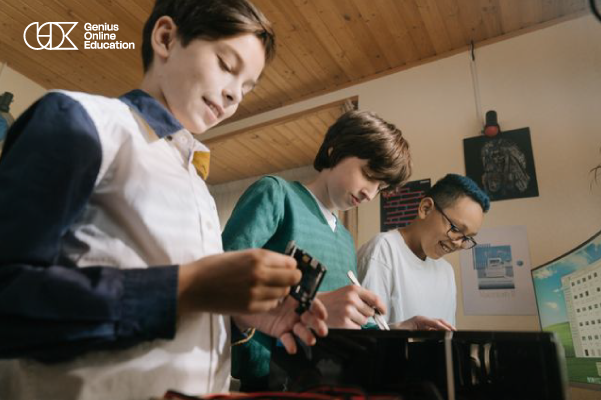
There are many programming learning tools for kids that make getting started easier and more enjoyable, especially when they focus on interaction and experimentation rather than memorizing code. The right tool can be selected based on the child’s age, level, and the skill they want to develop, followed by a gradual transition to programming languages and practical projects.
1. Scratch
Scratch is one of the tools suitable for the early stages of learning programming. It uses programming blocks that children can arrange to create games, stories, and interactive animations. It helps children understand concepts such as sequencing, repetition, conditions, and events visually.
2. Python
Python can be introduced after children have established a foundation in programming principles. It has a relatively clear structure and allows children to create practical projects. The skills developed through Python can also be expanded into data analysis and artificial intelligence in the future.
3. Code.org
Code.org provides activities and educational lessons that help children learn about programming through interactive exercises and simplified projects, making it a useful option for practice and training.
4. Blockly
Blockly uses visual programming with blocks that are arranged to create programming instructions. This approach helps children understand programming logic without requiring them to write long lines of code at the beginning.
5. Web Development Tools
Children interested in web development can use code editors to practice HTML, CSS, and JavaScript. They can write code and see the result directly on a web page, making learning more closely connected to practical application.
6. Python Programming Environments
When moving to Python, beginner-friendly development environments can be used to write, test, and debug code. This gradually introduces children to how real programming environments work.
7. Game Design Tools
Game development tools help children apply programming concepts through enjoyable projects, such as controlling characters, events, movement, and interaction. This allows children to see the direct results of the code they write.
8. Online Programming Learning Platforms
Online programming platforms for kids can be an effective option when they provide age-appropriate content, an instructor who monitors the child’s progress, and practical activities and projects that help them gradually improve their skills.
9. Programming Debugging Tools
It is important for children to learn how to use tools that help them identify errors and understand why their code is not working. Debugging is an essential part of learning programming and developing problem-solving skills.
How Do You Choose the Right Programming Tool for Your Child?
The choice depends on the child’s age, level, and interests. Children who are starting from scratch can use visual programming tools such as Scratch, while they can move on to Python after learning the basics. Children interested in web development can be guided toward HTML, CSS, and JavaScript, while those interested in games can choose tools and projects related to game development.
Learning Programming for Kids with Genius Online
Alongside learning and practice tools, children can benefit from the progressive learning paths available through Genius Online. These paths start with Programming Principles and expand into Python, web development, applications, and other fields. Having an instructor and practical projects helps make learning more structured and application-focused.
Learn more about: Summer Courses for Kids — Make the Most of the Vacation with Genius Online
💻 Help your child discover the world of programming using the right tools for their age and level, and start their learning and practical journey with Genius Online.
How to Make Programming Fun for Kids
Programming for kids can become an enjoyable and exciting experience when it is connected to their interests and gives them opportunities to experiment and create their own projects. Instead of presenting programming as codes and theoretical information only, it can be transformed into games, challenges, and interactive projects that allow children to see the results of what they learn and experience a sense of achievement.
1. Start with What the Child Loves
If a child loves games, you can start with projects related to game design. If they are interested in animation, applications, or websites, learning can be directed toward these fields. Connecting programming to their interests increases their desire to learn.
2. Learn Through Games
Programming games help present concepts in an interactive way. Children learn commands, repetition, conditions, and problem-solving while playing and experimenting rather than relying only on theoretical explanations.
3. Create Small Projects
It is best for children to start with a simple project that they can complete within a short period, such as a small game, interactive story, or simple program. When they see a result they created themselves, they become more motivated to move on to a new project.
4. Let Children Experiment
Learning should not be based solely on following instructions exactly. Children can be encouraged to change colors, movements, and commands and add their own ideas. This helps them understand that programming is a tool for creativity rather than simply writing code.
5. Turn Learning into Challenges
Small challenges can be given to children, such as fixing an error in the code or adding a new feature to a project. This approach develops logical thinking and problem-solving skills while maintaining an element of fun.
6. Celebrate Achievements
Completing a programming project is an important achievement for a child. It is therefore useful to encourage them to showcase what they have created and share their ideas. This helps build confidence in their abilities and motivates them to continue learning.
7. Choose a Language That Matches the Child’s Age
A child’s programming journey can begin with visual programming tools suitable for beginners and then gradually move to languages such as Python when they are ready to work with written code. This gradual progression helps prevent children from feeling that programming is too difficult at the beginning.
8. Learn Through Interaction
Having an instructor who interacts with the child, explains concepts, answers questions, and helps correct errors makes the online programming learning experience more engaging, especially when lessons focus on practice and participation.
9. Connect Programming with Creativity
Programming can be combined with drawing, design, animation, and games, allowing children to use multiple skills in one project and see programming as a tool for creating ideas rather than a traditional academic subject.
10. Learn with Genius Online
Genius Online helps children learn programming through progressive paths that begin with Programming Principles and then move on to Python, website and application development, and other fields. Focusing on projects and practical application helps children learn in a more interactive and motivating way.
Learn more: A Guide to Choosing Courses for Kids Based on Your Child’s Age
💻 Make learning programming for kids a fun experience for your child, and help them turn their ideas into games and digital projects with Genius Online.
Mistakes to Avoid When Teaching Programming to Kids
A child may struggle at the beginning of learning programming if it is presented in a way that does not match their age or level. Successful learning depends not only on choosing a programming language, but also on how it is presented, the pace of progression, and how much the child relies on practice and application. Avoiding some common mistakes can make the learning journey easier and more enjoyable.
1. Starting with a Difficult Programming Language
One common mistake is starting a child with an advanced language or concepts before they understand programming basics. It is better to choose a level appropriate for their age and experience and then gradually move on to more advanced languages and concepts.
2. Focusing on Memorizing Code
The goal of learning programming is not to memorize a collection of code, but to understand computational thinking and how to use commands to achieve a specific result. Therefore, the focus should be on understanding and application rather than memorization.
3. Providing Only Theoretical Information
Children may become bored if lessons consist only of explaining concepts without practical application. Projects, games, and programming challenges help turn information into a hands-on experience that makes learning more engaging.
4. Giving Children Projects Above Their Level
Choosing a complex project at the beginning of the learning journey may make children feel incapable and frustrated. It is better to start with small, achievable projects and gradually increase the difficulty as their skills develop.
5. Comparing the Child to Others
Children differ in their learning pace, interests, and abilities. Comparing a child with their peers may therefore reduce their self-confidence. It is better to monitor their progress compared with their previous level and encourage continuous improvement.
6. Solving Errors for the Child
When a child encounters a coding error, it may be easy to give them the solution directly, but this reduces their opportunity to learn. It is better to guide them toward the location of the error and encourage them to think and try different solutions until they reach the result themselves.
7. Forcing a Child to Learn a Language They Do Not Like
A particular language may be educationally suitable, but it may not match every child’s interests. If a child likes games, website design, or applications, it is better to connect learning to a field they enjoy to increase their motivation to continue.
8. Learning Multiple Languages at the Same Time
Moving between several programming languages at the beginning of the learning journey may confuse children. It is better to focus on one language or learning path until they understand the basic concepts well, then move to another language when they are ready.
9. Ignoring the Child’s Age and Abilities
The same teaching method cannot be used for all age groups. Younger children need visual and interactive activities and simple projects, while older children can gradually handle writing code and more advanced programming concepts.
10. Ignoring the Creative Side
Programming is not just about commands and rules. It can be used to create games, applications, websites, and interactive projects. Giving children room to add their own ideas helps develop creativity and makes learning more enjoyable.
11. Failing to Progress Gradually
Moving quickly from programming basics to advanced topics can create gaps in a child’s understanding. Skills should therefore be built step by step, ensuring that each stage is understood before moving on to the next.
12. Neglecting Continuous Practice
Watching lessons alone is not enough to understand programming. Children need to write code, test ideas, fix errors, and create projects regularly until their knowledge becomes a practical skill.
How Does Genius Online Help Avoid These Mistakes?
Genius Online relies on progressive learning paths that start with Programming Principles, after which children can move on to Python, website and application development, and other fields. This helps them choose an appropriate level rather than moving directly into concepts that exceed their abilities.
Interactive learning and practical projects also help make children an active part of the learning process. Instead of simply watching explanations, they practice writing code, implementing ideas, and dealing with programming errors.
💻 Avoid common beginner mistakes and make teaching your child programming a gradual and enjoyable experience with Genius Online, helping them build a strong foundation and develop their skills step by step.