
If your child loves design, animation, and content creation, learning motion graphics design for kids can be a great opportunity to turn their imagination into fun digital scenes and animations. Motion graphics is not limited to animating images and elements; it also helps children develop creativity, organize ideas, and understand how to transform static designs into engaging visual content.
Through gradual learning and practical application, children can discover the basics of motion graphics, learn how to animate elements, add effects, and create simple projects that express their ideas. With Genius Online, children can enjoy an interactive learning experience that helps them explore the world of motion graphics and develop their digital and creative skills in a way that suits their age and skill level.
Start your child’s journey of learning motion graphics design and help them turn their ideas into unique animated visual content with Genius Online.
[elementor-template id=”12242″]
What Is Motion Graphics for Kids?
Motion graphics is a style that relies on animating designs, images, shapes, and text to create engaging visual content. When presented to children in a simple way, motion graphics can become an enjoyable activity that combines design, creativity, and technology, helping children transform their ideas and drawings into animated scenes.
What Does a Child Learn in Motion Graphics?
A child begins by learning the basic principles of design and animation, then learns how to arrange and animate elements and add effects in a simple way. Some of the skills they can explore include:
- Animating Elements: Learning how to animate images, shapes, and text within a scene.
- Color Coordination: Choosing suitable and harmonious colors for a design.
- Motion and Timing: Understanding how to make animation more organized and smooth.
- Animated Text: Adding titles and words in an engaging way.
- Building Scenes: Arranging elements to create animated content that communicates a clear idea.
Is Motion Graphics Suitable for Kids?
Motion graphics for kids can be suitable for children who are interested in design, animation, and technology, especially when concepts are introduced gradually with a focus on practical application and simple projects rather than complexity at the beginning.
Benefits of Learning Motion Graphics for Kids
Learning motion graphics helps develop creativity, visual thinking, focus, and organization of ideas. It also gives children an opportunity to express their imagination through design and animation. Creating projects can also help develop problem-solving and decision-making skills as children choose colors, movements, and scene arrangements.
Learn Motion Graphics with Genius Online
Children can explore the world of motion graphics through the educational and interactive programs offered by Genius Online, combining design principles with practical application. Online learning helps children develop their digital and creative skills from home in a flexible and enjoyable way.
Learn more about: Learning Graphic Design Principles for kids step by step
Help your child turn ideas and designs into animated content and discover the world of motion graphics through a practical and interactive experience with Genius Online.
[elementor-template id=”12242″]
Best Motion Graphics Course for Kids
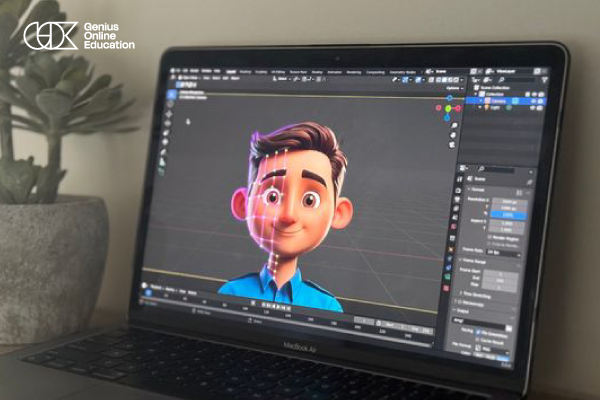
If your child loves design, animation, and content creation, learning motion graphics can give them a great opportunity to transform their ideas into digital scenes and animations. Genius Online offers the Motion Graphics Beginner program as one of its courses designed to help children and beginners discover the fundamentals of motion design, animate elements and characters, and create motion graphics videos in a simple and practical way.
| Course Element | Details |
|---|---|
| Course Name | Motion Graphics Beginner |
| Course Level | Suitable for beginners |
| Skills | Motion design, animating elements and characters, and creating motion graphics videos |
| Learning Style | Interactive learning with a focus on practical application |
What Does a Child Learn in a Motion Graphics Course?
Children learn the basics of motion and animation, including how to animate elements and characters and transform static designs into animated scenes. They also learn how to create simple visual content that combines design and movement in a way that helps them express their ideas.
Why Is Learning Motion Graphics Beneficial for Kids?
Motion graphics helps children combine creativity, design, and technology in one activity. It can also contribute to developing visual thinking, focus, and organization of ideas, especially when children learn through projects and apply what they learn practically.
Is the Motion Graphics Beginner Course Suitable for Beginners?
Yes, the course is designed for beginners and aims to introduce the fundamentals of motion design in a way that is suitable for those who are just discovering the field. It can therefore be a useful first step for children who are interested in design and animation and want to learn about motion graphics from the beginning.
Learn Motion Graphics with Genius Online
Genius Online offers design and graphics programs that help children develop their creative and digital skills, including Motion Graphics Beginner, which combines motion design with practical application in a beginner-friendly way.
Learn more about: Graphic Design Courses for Children 2026
Help your child transform ideas and designs into animated scenes and discover the world of motion graphics creatively with Genius Online.
[elementor-template id=”12242″]
Benefits of Learning Motion Graphics for Kids
Learning motion graphics for kids is one of the fields that combines design, animation, and technology, giving children an opportunity to express their ideas in a different and enjoyable way. By transforming images, shapes, and text into animated elements, children can develop a range of creative and digital skills.
1. Developing Creativity and Imagination
Motion graphics helps children come up with new ideas and scenes and transform what they imagine into animated visual content, giving them more space for creative expression.
2. Developing Visual Thinking
Children learn how to arrange colors, shapes, images, and text within a scene and understand the relationship between elements and movement, which helps develop their visual thinking skills.
3. Improving Focus and Attention
Creating an animated scene requires paying attention to details, arranging elements, and determining the timing of movement, which helps children develop focus and attention while working on a project.
4. Developing Problem-Solving Skills
Children may encounter challenges while animating elements or arranging scenes, requiring them to try more than one solution to achieve the desired result. This encourages flexible thinking.
5. Acquiring Digital Skills
Learning motion graphics helps children use digital tools and technologies creatively and gives them experience working with design, animation, and content creation.
6. Turning Ideas into Animated Stories
Children can use motion graphics to create scenes that communicate an idea or short story, helping them organize their thoughts and connect images, movement, and sequence.
7. Increasing Self-Confidence
When children finish creating a video or motion graphics project of their own design, they experience a sense of achievement, encouraging them to try new ideas and continue developing their skills.
Learn Motion Graphics with Genius Online
Genius Online helps children explore the world of motion graphics through interactive learning and practical application, giving them an opportunity to develop their skills in design, animation, and content creation in an enjoyable and gradual way.
Learn more about: Graphic Design Courses for Kids
Help your child turn their imagination and ideas into animated content and develop their creative and digital skills with Genius Online.
[elementor-template id=”12242″]
Motion Graphics Design Tools for Kids
Motion graphics design relies on a range of tools and software that help create visual elements, animate them, and add effects. For children, it is better to start with tools that match their skill level and then gradually move to more advanced programs as their abilities develop.
1. Adobe After Effects
Adobe After Effects is one of the most popular programs used for motion graphics. It can be used to animate text, shapes, and visual elements and add a wide range of effects and animations.
2. Adobe Photoshop
Photoshop can be used to create and prepare images and elements that can be incorporated into motion graphics projects. It also helps children develop basic skills in working with images and design.
3. Adobe Illustrator
Illustrator is used to create illustrations, shapes, logos, and vector elements that can be prepared and later used in motion graphics projects.
4. Canva
Canva features an easy-to-use interface that helps beginners create designs and visual elements. It can be used as a first step to learning basic design principles before moving on to more advanced tools.
5. Tools for Animating Text and Elements
Animation tools help control position, size, rotation, opacity, and timing, which are among the fundamentals children need to understand when beginning to create motion graphics scenes.
How Can a Child Choose the Right Motion Graphics Tool?
A child does not need to learn all programs at the same time. It is better to start with a tool that matches their skill level and goals, then gradually move to more professional programs as they gain experience. Learning should preferably focus on practical application and simple projects so children can understand the purpose of each tool in a practical way.
Learn Motion Graphics Tools with Genius Online
Genius Online helps children explore the world of design and motion graphics through interactive learning and practical application, giving them an opportunity to develop their digital and creative skills and gradually become familiar with design and animation tools.
Learn more about: Basics of Graphic Design for Kids
Help your child discover the world of motion graphics and learn design and animation tools through a practical and enjoyable experience with Genius Online.
[elementor-template id=”12242″]
Skills a Child Needs to Learn Motion Graphics

A child does not need to be a professional designer to start learning motion graphics, but having some basic skills can help them understand the field and enjoy practical application. With training and practice, children can gradually develop these skills and transform their ideas into animated visual content.
1. Creativity and Imagination
Motion graphics requires new ideas, so imagination helps children create characters, scenes, and movements and transform them into animated content.
2. Interest in Design and Colors
An interest in colors, shapes, and design helps children understand how to create harmonious and attractive scenes and makes them more enthusiastic about experimenting with design tools.
3. Focus and Attention to Detail
Animating elements requires adjusting details such as size, position, and timing. Therefore, focus helps children create scenes in a more organized way.
4. Organized Thinking
Children need to arrange scenes and determine what appears first and what comes next. Organized thinking helps them create a sequential video that communicates a clear idea.
5. Patience and Practice
Children may need to repeat an attempt several times to achieve the movement they want. Therefore, patience and consistent practice are important skills when learning motion graphics.
6. Basic Computer Skills
Having basic computer skills helps children become familiar with design and animation software and use different tools more easily.
7. Problem-Solving
During a project, a child may encounter a problem with movement, element arrangement, or scene timing. This encourages them to try different solutions to achieve the desired result.
Does a Child Need Previous Experience?
A child does not need professional design experience before starting. Motion graphics can be introduced to beginners gradually, starting with simple concepts and then moving to practical application and projects as the child’s skills develop.
Learn Motion Graphics with Genius Online
Genius Online helps children develop the skills needed to learn motion graphics through an interactive educational experience that combines design and practical application, giving children an opportunity to discover their creative abilities and develop their digital skills.
Learn more about: Children’s Program for Learning Programming, Game Design, and Animation
Start your child’s journey of learning motion graphics and help them develop creativity, focus, and digital skills with Genius Online.
[elementor-template id=”12242″]
Steps to Design Your First Motion Graphics Video with Genius Online
Designing your first motion graphics video may seem complicated at first, but it becomes easier when children learn the steps gradually and start with a simple project that matches their skill level. With Genius Online, children can learn the basics of design and animation and apply them practically through an interactive learning experience.
1. Choose a Simple Idea
Every successful motion graphics idea begins with choosing a clear topic. A child can start with a simple idea such as introducing a cartoon character, designing a short advertisement, or animating a word or logo in an engaging way.
2. Prepare the Design Elements
After choosing the idea, the child prepares the elements they will need, such as backgrounds, images, shapes, text, and characters. It is preferable to keep the elements simple so the child can focus on learning animation.
3. Arrange the Scene
The elements are placed within the workspace and arranged in a way that helps communicate the idea. The child begins thinking about what will appear first and what will come next, helping them organize the scene.
4. Animate the Elements
This is where the idea of motion graphics begins to come to life. The child learns how to animate elements and change their position, size, rotation, and opacity to add movement to the design.
5. Adjust Timing and Movement
Good animation does not depend on movement alone; it also requires appropriate timing. Therefore, children learn how to determine when elements appear and disappear and how quickly they move so the video becomes smoother.
6. Add Text and Effects
Text, titles, and visual effects can be added to help clarify the idea and make the video more engaging, while keeping the design simple and avoiding unnecessary elements.
7. Review and Edit the Video
After completing the design, the child watches the video several times to check the order of scenes, movements, and timing. They can then adjust elements that need improvement until they achieve the desired result.
8. Export the Final Project
In the final step, the video is prepared in a suitable format for sharing or keeping as a project created by the child. Completing the project allows the child to see the result of what they have learned and encourages them to create more advanced projects.
How Does Genius Online Help Children?
Genius Online helps children learn the fundamentals of motion graphics gradually, with a focus on practical application and interaction throughout the learning process. This gives children an opportunity to understand the steps involved in creating animated content rather than simply watching an explanation.
Learn more about: Photoshop work for photos
Help your child create their first motion graphics project and discover their abilities in design and animation through an interactive learning experience with Genius Online.
[elementor-template id=”12242″]
The Future of Motion Graphics Design for Kids
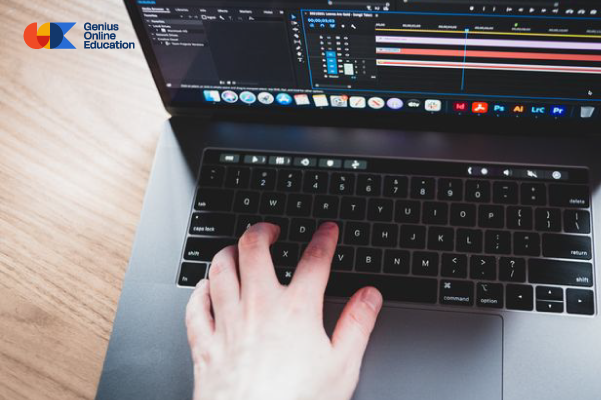
Motion graphics design for kids has become a creative field that combines art, technology, and content creation. Introducing children to its fundamentals at an early age can therefore help them discover their interests and gradually develop their digital and creative skills.
Motion Graphics and Future Skills
Learning motion graphics helps children develop skills such as creativity, visual thinking, organizing ideas, and problem-solving. These skills can be useful across different educational and digital fields as children grow.
The Growing Importance of Visual Content
Animated visual content has become increasingly present in education, marketing, media, and entertainment. This makes understanding the principles of design and animation an opportunity for children to learn early how digital content is created.
From Hobby to Skill
A child may begin learning motion graphics out of curiosity or a love of design. With continuous practice and project-based learning, they can gradually improve their abilities and turn their interest into a more advanced skill.
Learning and Development Opportunities
As children’s skills develop, they can explore related areas such as graphic design, animation, content creation, and video, giving them more opportunities to discover the field that best matches their interests and abilities.
The Role of the Family in Encouraging Children
Parents can support children by encouraging them to experiment with new ideas, following their projects, and giving them enough time to practice without putting pressure on them to achieve professional results at an early age. The main goal is to build skills while enjoying the learning process.
Learn Motion Graphics with Genius Online
Genius Online helps children explore the world of design and motion graphics through interactive learning and practical application, giving them an opportunity to develop their digital and creative skills and discover their abilities step by step.
Learn more about: Photoshop Basics for Children
Start with your child today and help them build creative and digital skills for the future by learning motion graphics with Genius Online.
[elementor-template id=”12242″]