
Learning game development for kids is no longer just a recreational activity—it has become a smart way to build thinking and creativity skills from an early age. With the right approach, a child can move from simply playing games to designing simple ones they can be proud of and share with others.
With Genius Online, learning becomes an enjoyable experience that blends fun and education. Children discover how games are built step by step in a simple and age-appropriate way, helping them develop logical thinking and problem-solving skills in an engaging manner.
The goal is not just to create a game, but to build a creative mind capable of innovation in the future.
🎮 Start now with Genius Online and let your child learn game development in a fun and safe way that builds a strong digital future
Steps to Learn Game Development from Scratch for Kids with Genius Online
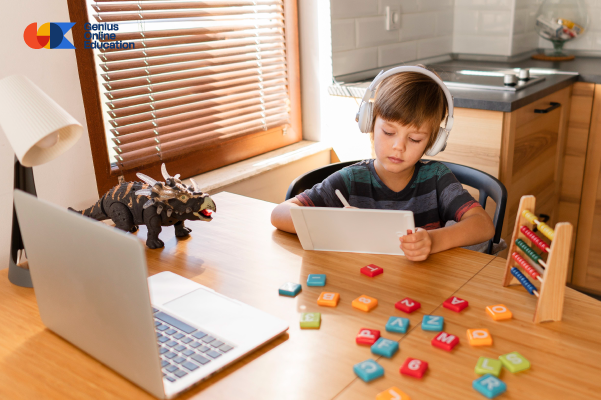
Learning game development for kids is one of the best ways to boost creativity and logical thinking at an early age. Children don’t learn programming in a complex way—they start with simple and fun steps that help them turn their ideas into small games. With Genius Online, this field is introduced in an easy and safe way suitable for kids.
Understanding the Game Concept Simply
Start by explaining what a game includes: a goal, a character, movement, and points. The aim is to help the child understand that a game is not just for playing, but something they can create.
Learning Through Simple Tools
Use beginner-friendly tools based on drag-and-drop instead of complex coding, so the child can build games easily.
Creating Very Simple Games
Start with small games like moving a character or collecting points, as a simple beginning helps the child understand without pressure.
Developing Creative Thinking
Encourage the child to modify the game and add ideas from their imagination, like new characters or simple challenges.
Learning Through Play
Make the process fun so the child feels like they are playing while learning, which increases their motivation.
Gradual Game Development
After understanding the basics, add simple elements like sounds or new movements to improve the game step by step.
📌 Summary
Learning game development for kids is based on simplicity, gradual progress, and fun—not complexity or difficult coding.
Best Artificial Intelligence Courses Start Your Tech Future with Genius Online
🎮 Start now with Genius Online and teach your child game development from scratch in a fun and creative way
How to Start Learning Game Development Easily with Your Child with Genius Online
If you want to learn game development with your child, you’re not just giving them a technical skill—you’re creating a fun experience that strengthens creativity and builds meaningful time together. Getting started doesn’t require experience, just simple steps and a fun approach. With Genius Online, you can begin this journey easily.
Start Together with a Simple Game Idea
Choose an easy idea like a point-collection game or moving a character, and let your child suggest ideas to feel involved and excited.
Use Simple and Easy Tools
Start with drag-and-drop tools instead of code, so the child can understand quickly without technical complexity.
Break Learning into Short Steps
Keep learning sessions short and enjoyable (20–30 minutes daily) to avoid boredom or pressure.
Turn Learning into a Game
Make each step a small challenge, like adding movement or sound, so the child feels like they are playing.
Encourage Creativity
Let your child change colors, characters, or add new ideas—creativity is the most important part of game development.
Celebrate Every Result
Once a small game is completed, celebrate it and share it with family to boost the child’s confidence and motivation.
📌 Summary
Learning game development with your child doesn’t require experience—just a fun environment, continuous encouragement, and simple steps.
Also explore: Best AI Courses – Start your tech future with Genius Online
🎮 Start now with Genius Online and share the journey of learning game development with your child
Benefits of Learning Game Development for Kids as a Career Path with Genius Online

Learning game development for kids has become a smart step toward building a strong future in technology. Children don’t just learn how to create games—they gain real skills that can turn into future career opportunities. With Genius Online, these skills are developed in an age-appropriate way.
Building Early Programming Skills
Game development helps children understand programming basics early, giving them a strong advantage later.
Enhancing Creativity
Children learn how to turn ideas into games, boosting imagination and innovation.
Learning Problem-Solving Practically
While building games, children face simple challenges and learn how to solve them logically.
Strong Future Opportunities
The gaming industry is one of the fastest-growing fields, opening many career opportunities.
Freelance Opportunities
In the future, children can create and publish their own games and earn from their ideas.
Boosting Self-Confidence
Seeing their own game gives children a sense of achievement and confidence.
📌 Summary
Learning game development for kids is not just entertainment—it’s a real investment in their future.
Also explore: Back-End Developer Path – Start your professional journey with Genius Online
🎮 Start now with Genius Online and help your child gain future-ready skills through game development
Programming Languages Used in Learning Game Development for Kids with Genius Online
When starting game development for kids, children don’t need complex programming languages at first. They begin with simple tools that help them understand concepts in a fun way. With Genius Online, the right language is chosen based on the child’s age and level.
Scratch (Visual Programming)
Not a traditional language, but a drag-and-drop system used to teach basic programming concepts visually.
It is the best starting point for kids since it doesn’t require writing code.
Blockly
Similar to Scratch, it uses visual blocks to teach fundamental concepts before moving to real coding languages.
Python
One of the easiest text-based programming languages, suitable after learning the basics. It helps children move to a higher level.
Lua
A lightweight and simple language used in platforms like Roblox, suitable for kids ready to build real games.
C#
Used with Unity, slightly more advanced, suitable for older kids or those with a strong foundation.
JavaScript
Used to build simple browser-based games and helps children understand how online games work.
📌 Summary
Children start with visual programming like Scratch and Blockly, then move to languages like Python and Lua, and later advance to C# and JavaScript.
Also check: SQL Server Course
🎮 Start now with Genius Online and choose the right language for your child to learn game development easily
Simple Projects to Help You Learn Game Development for Kids with Genius Online
The best way to learn game development for kids is through hands-on practice with Children’s Programming Fundamentals Course using simple and fun projects. These projects help children understand the basics without complexity and give them a sense of achievement. With Genius Online, these ideas can be implemented step by step.
Point Collection Game
The player moves and collects items to gain points, helping the child understand movement and interaction.
Jump and Avoid Obstacles Game
The character jumps to avoid obstacles, teaching timing and control.
Matching Shapes or Colors Game
The player matches similar items, helping to understand conditions (If/Else).
Simple Racing Game
Characters move toward a finish line, teaching movement and competition.
Quiz Game
Displays a question and the player selects the correct answer, teaching interaction and decision-making.
Maze Navigation Game
The player moves through a maze to reach a goal, enhancing logical thinking.
📌 Summary
Simple projects are the best way to start learning game development, combining fun and skill-building.
🎮 Start now with Genius Online and build your child’s first game project Easy and fun
Best Courses to Help You Learn Game Development with Genius Online

If you want to learn game development correctly, choosing the right type of course is more important than the platform name. Good courses focus on practical application and building real games step by step. With Genius Online, you can explore the most important course types.
Game Development Fundamentals Course
Covers basic concepts like game ideas, interaction, and types of games.
Game Programming for Beginners
Children’s Programming Diploma focuses on programming basics like movement and scoring.
Game Design Course
Teaches how to create a successful game idea, including story, levels, and user experience.
2D Game Development Course
Focuses on simple 2D games, ideal for beginners.
3D Game Development Course
Covers advanced topics like environments and camera control.
Full Game Project Course
Build a complete game from start to finish for strong practical experience.
📌 Summary
The best path is starting with basics, then programming, design, and finally full projects.
Also check: Free Programming Learning Platforms
🎮 Start now with Genius Online and choose the right course to begin your game development journey
Professional Tips for Learning Game Development for Kids with Genius Online
Learning game development for kids can become a real skill if approached correctly. The key is not complexity, but the method that helps the child understand, apply, and continue. With Genius Online, follow these tips:
Start with Basics First
Teach simple concepts before advanced ones, as gradual learning is essential.
Focus on Practice
Children learn best by doing, so prioritize building small games over theory.
Avoid Switching Tools Quickly
Stick to one tool at first to avoid confusion.
Encourage Thinking, Not Imitation
Ask the child how to improve the game instead of copying steps.
Break Learning into Small Tasks
Teach parts like movement and scoring separately, then combine them.
Create a Fun Environment
A stress-free and enjoyable environment keeps children motivated.
📌 Summary
Learning game development for kids depends on simplicity, practice, and creativity.
🎮 Start now with Genius Online and help your child learn game development professionally and enjoyably