

Do you want your child to explore the world of digital creativity and turn ordinary photos into unique works of art? With Genius Online, children learn the basics of Photoshop for photos in a fun and interactive way, combining play and learning to develop their creative and digital skills from an early age. This carefully designed educational experience makes your child feel accomplished and unleashes their artistic imagination in every project.
Benefits of Learning Photoshop for Photos with Genius Online
Photoshop for photos gives children a fun educational experience that helps them acquire digital and creative skills from an early age, with practical application of what they learn step by step.
Enhancing Image Quality
Children can adjust photos to improve colors, brightness, and contrast, making images clearer and more attractive.
Adding Creative Touches
Photoshop teaches children how to add effects, text, and icons, fostering their imagination and making every design unique.
Learning Basic Design Tools
By working on photos, children get familiar with brushes, selection tools, cropping, and coloring — essential skills for any beginner designer.
Improving Focus and Precision
Photo editing requires attention to detail, helping children enhance focus and precision in their work.
Building Self-Confidence
As children see their designs improve and become visually appealing, their sense of accomplishment and confidence grows.
Learning in a Fun and Interactive Way
Genius Online turns learning Photoshop into an enjoyable experience, connecting learning with fun and creativity rather than memorization.
Also discover: Photoshop Basics for Kids
🎨 With Genius Online, learning Photoshop for photos becomes a fun educational experience that enhances your child’s creative and digital skills.
How to Use Photoshop for Photos Easily
With Genius Online, Photoshop for kids becomes simple and enjoyable, offering easy steps that help children edit photos and add creative touches without complications.
Step 1: Choose a Photo
Children start by selecting a simple photo to edit, such as a portrait or landscape, to apply what they learn from Photoshop tools.
Step 2: Learn the Basic Tools
Children get familiar with essential tools such as brush, selection, text, and crop, with practical guidance on how to use them.
Step 3: Adjust Colors and Brightness
Children learn how to enhance images by adjusting colors, brightness, and contrast, making photos more appealing.
Step 4: Add Texts and Drawings
Children can add colorful text or small drawings, nurturing imagination and creativity while working on the photo.
Step 5: Crop and Arrange
Children learn how to crop certain parts and arrange elements systematically, developing visual coordination skills.
Step 6: Save and Share the Design
After finishing, children save their designs and share them with family or friends, boosting their sense of achievement and motivating further learning.
✨ With Genius Online, Photoshop for photos becomes easy, fun, and full of creativity for children.
Best Methods for Using Photoshop for Photos
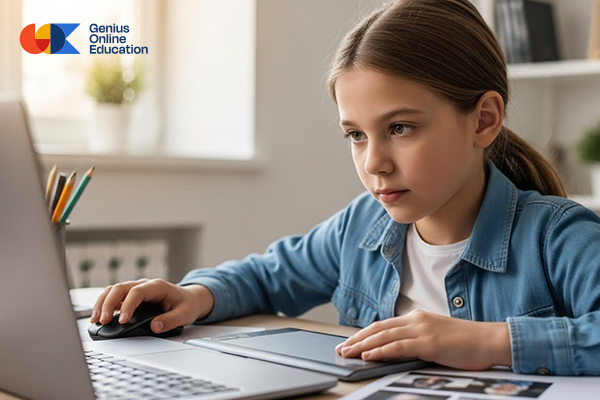
Genius Online offers children easy and effective ways to learn Photoshop for photos, making learning fun, interactive, and fostering essential digital and creative skills from an early age.
Use Only Basic Tools
Focus on simple tools such as brush, selection, text, and colors to edit photos in a fun and easy way without complexity.
Work on Small Projects
Start with simple projects like coloring images, designing a card, or adding text to a photo, giving children a quick sense of accomplishment.
Gradually Increase Learning Level
Start with simple skills, then gradually move to color adjustments, cropping, and merging to develop the child’s skills in a structured and safe way.
Learn by Practical Application
The best way to learn Photoshop is through hands-on practice, allowing children to learn by trial and error in a safe environment.
Benefit from Visual Content and Interactive Lessons
Using short videos and illustrated tutorials helps children follow steps and implement them independently.
Encourage Personal Creativity
Allow children to choose their colors, designs, and photo themes to boost excitement and make learning engaging.
Review and Share Achievements
Encourage children to share their designs with others for positive feedback, enhancing confidence and encouraging skill development.
Also see: Teaching Photoshop for Kids
🚀 With Genius Online, Photoshop for photos for kids becomes a fun, practical, and creative experience.
Step-by-Step Photoshop for Photos
Genius Online provides simple and practical steps to teach children how to use Photoshop for photos, focusing on gradual learning and creativity for a fun and effective educational experience.
Step 1: Choose a Simple Project
Start with an easy and enjoyable image such as a cartoon or landscape to allow children to apply basic tools.
Step 2: Learn Program Tools
Teach children essential tools like brush, selection, text, and crop in a simple, practical way before starting edits.
Step 3: Adjust Colors and Brightness
Children apply simple changes to color, brightness, and contrast to enhance images and understand color effects.
Step 4: Add Creative Touches
Children can draw or color parts of the photo, add text or icons, developing artistic imagination and making the design enjoyable.
Step 5: Arrange Elements
Children learn how to move elements, crop unwanted parts, and organize the design for a balanced and appealing result.
Step 6: Save and Review Design
After finishing, children save the final image and review their work, boosting their sense of achievement and encouraging new ideas.
Step 7: Share and Receive Feedback
Children can share designs with family or friends and get positive feedback, increasing confidence and motivating continuous creativity.
🌟 With Genius Online, Photoshop for photos for kids becomes a step-by-step, fun, and creative experience.
Teaching Photoshop for Kids and Adults

Teaching Photoshop for photos differs for children and adults in terms of approach, content, and method. With Genius Online, we highlight the key differences to ensure effective and enjoyable learning for every age group.
| Aspect | Children | Adults |
|---|---|---|
| Teaching Style | Learning through play and interaction, fun activities like coloring images and designing cards | Structured, technical instruction with real-life examples of editing and design |
| Lesson Content | Only basic tools: brush, selection, text, and colors | Advanced tools: layers, masks, filters, professional blending |
| Application Method | Small fun projects like adding text or coloring images | Complex projects like photo editing, logo design, marketing materials |
| Learning Speed & Focus | Short lessons suitable for children’s attention span | Longer sessions with detailed exploration of tools |
| Final Goal | Develop digital and creative skills, enhance imagination, and build confidence | Acquire professional skills for design or digital marketing work |
🎨 With Genius Online, both children and adults can learn Photoshop in an age-appropriate, fun, and interactive way with tangible results.
Practical Projects for Kids Photoshop
To teach children hotoshop basics and an introduction to design in a fun and effective way, Genius Online relies on small practical projects that help kids apply what they learn step by step and develop creative skills.
1. Coloring Images
A simple project where children color ready-made images using the brush tool, enhancing artistic sense and understanding of colors and gradients.
2. Design a Personal Card
Children learn to add their name and colorful text on a card, using colors and shapes to design a unique card.
3. Create a Small Poster
A fun project to apply cropping, merging, and moving elements, allowing children to create posters on topics they love like animals or games.
4. Photo Merging
Children learn to merge two or more photos to create a new design, arranging elements and applying colors harmoniously.
5. Add Simple Effects
A practical project teaching children to use basic filters and effects like shadows or lighting to make photos more attractive.
6. Design Holiday or Event Images
Children can design images for holidays, birthdays, or greeting cards, combining practical application with fun.
7. Free Creative Project
At this stage, children are free to choose their project idea to apply everything they have learned and unleash personal creativity.
Also explore: Graphic Courses for Kids
🎨 With Genius Online, practical Photoshop projects become fun, educational, and develop your child’s creative and digital skills.
Basics of Photoshop for Images
Learning the basics of Photoshop for images with Genius Online helps children acquire digital and creative skills in a fun and interactive way. Our focus is on the essential tools and concepts that enable children to edit images and create their own designs with ease.
1. Understanding the Program Interface
The first step is to understand the Photoshop interface, such as the location of tools, menus, and the color panel, so the child feels comfortable while working.
2. Essential Tools
- Brush Tool: for drawing and coloring on images.
- Selection Tool: to select specific parts of the image for editing.
- Text Tool: to add colorful and attractive words or phrases.
- Eraser Tool: to correct mistakes and remove unwanted parts.
- Move Tool: to arrange and move elements within the design.
- Crop Tool: to adjust the image size or crop unwanted areas.
3. Adjusting Colors and Brightness
Learning to adjust colors, brightness, and contrast makes images clearer and more attractive, allowing the child to experiment with effects in a fun way.
4. Combining Images and Elements
With a Graphic Design Diploma, children can combine different images or add shapes and icons to create a new design, developing their coordination and creativity skills.
5. Saving and Sharing Work
Finally, the child learns how to save their final work and share it with others, boosting their sense of accomplishment and encouraging further skill development.
🎨 With Genius Online, learning the basics of Photoshop for images becomes a fun, practical, and creative experience for children.
Essential Tools for Photoshop for Images
To teach children the essentials of Photoshop for images, Genius Online focuses on a set of core tools that make learning easy and help develop creative skills in a fun and simple way.
1. Brush Tool
Allows the child to freely draw and color on images, with options to choose brush size and color, enhancing creativity and artistic imagination.
2. Selection Tool
Used to select a specific part of an image to edit, copy, or move, helping the child understand how to control elements within the design.
3. Text Tool
Enables the child to add words and phrases on images, with options for suitable fonts and colors, adding a personal touch to the design.
4. Eraser Tool
Used to correct mistakes and remove unwanted parts of the image, giving the child freedom to experiment without fear of errors.
5. Move Tool
Allows the child to move images and elements within the design, arranging them attractively and neatly.
6. Crop Tool
Used to adjust the image size or crop unwanted parts, helping the child understand framing and visual organization.
7. Color Panel
Teaches the child how to choose and mix colors appropriately, developing their artistic taste and enabling them to create balanced and attractive designs.
You can also explore: Basics of Graphic Design for Kids
🎨 With Genius Online, your child learns Photoshop tools easily, enjoyably, and interactively, opening doors to creativity.
Simple Projects for Photoshop for Images
To expand children’s skills in Photoshop for images, Genius Online offers additional fun and interactive projects that help develop creativity and practical application skills.
1. Designing a Book Cover or Short Story
The child learns how to combine images, add text and colors to create an attractive cover, developing coordination and creativity skills.
2. Creating Cartoon Images or Fantasy Characters
A fun project allowing the child to turn drawings or images into cartoon characters, coloring and decorating them creatively.
3. Making Educational Posters
The child can design posters to learn or teach others simple things, such as letters, numbers, or animal names, combining learning and practice.
4. Creating Greeting Cards for Occasions
A practical project to design cards for holidays, birthdays, or any occasion, adding text and colors to reflect the joy of the event.
5. Editing Nature and Landscape Photos
The child learns how to enhance nature or landscape images by adjusting colors and brightness, adding simple effects to make them more attractive.
6. Merging Images to Create New Designs
An educational project that teaches children to merge two or more images to produce an innovative design, arranging elements neatly and attractively.
7. Free Creativity Challenge
In this project, the child is free to choose their own idea and work on it, applying everything they learned and unleashing their personal creativity.
You can also explore: Benefits of Learning Programming Early
🎨 With Genius Online, additional projects make learning Photoshop for images fun, practical, and supportive of children’s digital creativity.
Developing Design Skills Through Photoshop for Images with Genius Online
Photoshop for images is an effective tool to develop children’s design and creativity skills. With Genius Online, children learn how to turn their ideas into real designs while acquiring important digital skills from an early age.
Fostering Creativity and Imagination
By editing images and adding new elements, children can visually express their ideas, enhancing their artistic imagination and innovation skills.
Understanding Basics of Layout and Colors
Children gain essential knowledge about choosing and coordinating colors, arranging elements in designs, and achieving visual balance, which are vital skills for any designer.
Improving Focus and Attention to Detail
Designing images requires attention to details, such as element size, placement, and color, helping improve the child’s focus and precision.
Acquiring Early Digital Skills
Children are introduced to modern technology tools and digital programs, making it easier to learn advanced design software in the future.
Building Self-Confidence Through Achievement
Seeing completed designs boosts children’s sense of accomplishment and encourages them to try new ideas and develop their skills continuously.
Solving Problems Creatively
While working on graphic design, children face simple challenges like arranging elements or adjusting colors, teaching critical thinking and innovative problem-solving.
🌟 With Genius Online, your child learns to design images in a fun and interactive way, developing creative and digital skills to build an innovative future.
Tips to Make Photoshop for Images Easier with Genius Online
To enhance children’s experience in Photoshop for images, Genius Online provides tips that make learning more fun and effective:
1. Use Simple and Clear Images
Start with images that have few and clear elements to make editing easier and to help children understand the tools without distraction.
2. Encourage Trial and Error
Allow children to try different tools without fear of mistakes, as experimentation is the best way to learn Photoshop and understand tool effects.
3. Use Bright and Cheerful Colors
Using attractive and bright colors increases the child’s engagement and encourages creative expression.
4. Use Illustrated Lessons and Short Videos
Visual lessons help children follow steps easily and understand how to use the tools in a practical and direct way.
5. Give Short Breaks
Short learning sessions with breaks maintain children’s focus and prevent fatigue.
6. Maintain a Fun Learning Environment
Adding interactive elements like small games or simple challenges makes learning more enjoyable and motivating.
7. Integrate Learning with Daily Life
Encourage children to edit their own photos or family memories, linking learning to their daily life and increasing interest.
🌟 With Genius Online, Photoshop tips for children become practical tools for fun, creative, and productive learning.

