

Do you find it challenging to manage your child’s day between studying, playing, and various activities? With Genius Online’s Children’s Time Management Schedule, you can turn your child’s day into an organized journey combining learning and fun. The schedule helps children learn time management, task commitment, and develop positive daily habits from an early age in an enjoyable and interactive way.
The Best Children’s Time Management Schedule for School and Home with Genius Online
Organizing children’s time helps them achieve balance between school, home activities, and rest. With Genius Online, we offer a comprehensive schedule that helps your child manage their time effectively while developing academic and social skills.
| Time | Activity | Description |
|---|---|---|
| 6:30 – 7:00 AM | Wake Up & Prepare | Shower, make the bed, and have a healthy breakfast to start the day energized. |
| 7:00 – 7:30 AM | Quick Lesson Review | Review letters, words, or simple math lessons before going to school. |
| 7:30 – 8:00 AM | Travel to School | Get ready and leave home for school. |
| 8:00 AM – 1:30 PM | School | Attend lessons, classroom activities, and short breaks. |
| 1:30 – 2:00 PM | Lunch & Rest | Have a healthy meal and relax after school. |
| 2:00 – 3:30 PM | Homework & Reading/Writing Course | Complete homework and follow the reading/writing foundation course on Genius Online with interactive activities. |
| 3:30 – 4:00 PM | Short Break | Have a snack or short recreational activity to boost focus. |
| 4:00 – 5:00 PM | Creative & Design Skills Course | Practice creative activities like basic Photoshop, digital drawing, or artistic expression via Genius Online. |
| 5:00 – 5:30 PM | Physical Activity | Exercise or outdoor play to enhance physical activity and overall health. |
| 5:30 – 6:30 PM | Digital & Language Skills Course | Follow an interactive English language or basic digital skills course on Genius Online. |
| 6:30 – 7:00 PM | Dinner & Family Time | Have dinner with family and engage in conversations to strengthen family bonds. |
| 7:00 – 7:30 PM | Storytime or Course Review | Read a short story or review words and sentences from the reading/writing course to enhance skills. |
| 7:30 – 8:00 PM | Get Ready for Bed | Tidy the room, brush teeth, and prepare the child for early sleep. |
| 8:00 PM | Bedtime | Get enough sleep to recharge and prepare for a new day with energy and focus. |
Also read: Steps to Establish Your Child’s Reading and Writing Skills
⏰ With Genius Online, organizing children’s time while integrating educational courses becomes an effective way to develop their academic and creative skills while maintaining balance between study and rest.
How to Organize Children’s Time Between Study and Recreational Activities with Genius Online

Balancing children’s time between studying and recreational activities helps develop their academic and social skills while reducing stress and pressure. With Genius Online, we provide practical steps to divide your child’s time in a smart and fun way:
1. Set Fixed Study Times
Allocate a specific time daily for homework and lesson review, splitting the time into short sessions (25–30 minutes) to maintain focus.
2. Include Short Breaks
After each study session, give the child 5–10 minutes for rest or physical activity to recharge and improve attention in the next session.
3. Allocate Time for Recreational Activities
Include play, music, and sports as part of the daily schedule to enhance creativity and physical activity alongside study.
4. Combine Learning with Fun Activities
Use educational games and digital courses like reading/writing or Photoshop for kids on Genius Online to teach new skills in an entertaining and interactive way.
5. Create a Flexible and Organized Schedule
Establish a daily or weekly schedule showing study times, recreational activities, and rest, maintaining a balance to reduce pressure on the child.
6. Daily Review
Set aside a short time to review what the child learned during the day, rewarding small achievements to boost confidence and encourage adherence to the schedule.
7. Involve the Child in Planning
Let the child participate in organizing their time by choosing recreational activities or prioritizing tasks, increasing their commitment and sense of responsibility.
⏰ With Genius Online, organizing your child’s time between study and recreational activities becomes an enjoyable and effective experience, helping them learn, create, and grow in a balanced way.
Daily Schedule for Kids to Improve Focus with Genius Online
Improving children’s focus requires a balanced daily routine between study, educational courses, physical and recreational activities, with designated rest times. Genius Online provides a practical schedule that helps children stay focused and achieve their best daily performance:
| Time | Activity | Description |
|---|---|---|
| 6:30 – 7:00 AM | Wake Up & Prep | Shower, tidy up the room, and have a healthy breakfast to start the day actively. |
| 7:00 – 7:30 AM | Quick Review | Review letters, words, or simple lessons to enhance focus before school. |
| 7:30 – 8:00 AM | Travel to School | Get ready and head to school. |
| 8:00 AM – 1:30 PM | School | Participate in lessons and classroom activities, focusing on listening and engagement. |
| 1:30 – 2:00 PM | Lunch & Rest | Eat a healthy meal and take a short break to recharge energy. |
| 2:00 – 3:00 PM | Homework | Focus on school assignments with short sessions to improve attention. |
| 3:00 – 3:30 PM | Break & Physical Activity | Short physical activity or outdoor play to refresh energy and stimulate the mind. |
| 3:30 – 4:30 PM | Interactive Course on Genius Online | Follow a reading, writing, or digital skills course in a fun way to strengthen focus and self-learning. |
| 4:30 – 5:00 PM | Quiet Activity | Drawing, coloring, or solving short puzzles to stimulate thinking without stress. |
| 5:00 – 5:30 PM | Sports Activity | Practice sports or outdoor physical games to boost physical health and attention. |
| 5:30 – 6:30 PM | Creative Course or Extra Skills | Creative activities such as digital drawing, Photoshop for kids, or simple scientific skills via Genius Online. |
| 6:30 – 7:00 PM | Dinner & Family Time | Have dinner with the family and strengthen social bonds. |
| 7:00 – 7:30 PM | Quiet Pre-Bed Activity | Read a short story or review words and sentences from the course to strengthen calm focus before sleep. |
| 7:30 – 8:00 PM | Prepare for Bed | Tidy up the room, brush teeth, and prepare the child for early sleep. |
| 8:00 PM | Bedtime | Sufficient sleep to recharge energy and improve focus for the next day. |
⏰ With Genius Online, a structured daily schedule helps improve your child’s focus, develop academic and creative skills, and balance study with recreational activities.
Steps to Design a Balanced Daily Schedule for Kids with Genius Online
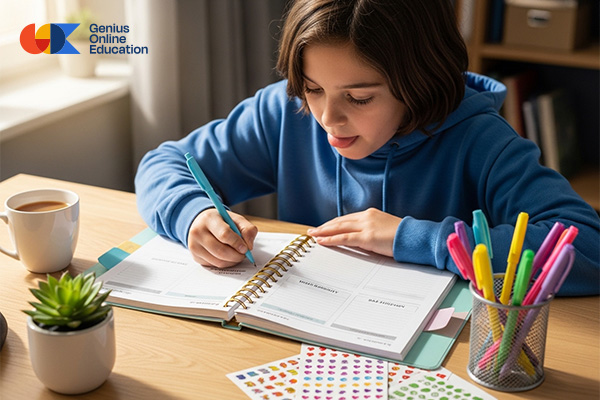
Creating a balanced daily schedule helps children manage their time effectively between study, recreational activities, educational courses, and rest. With Genius Online, we provide practical steps to create a daily schedule that ensures academic and creative development:
1. Set Fixed Wake-up and Bedtimes
Start by setting fixed wake-up and sleep times for your child. This helps regulate their biological clock and improves focus and energy throughout the day.
2. Divide the Day into Time Blocks
Split the day into short study sessions (25–45 minutes) with breaks in between to avoid fatigue and maintain attention.
3. Allocate Time for Homework and Lessons
Set specific times for homework and review, focusing on core lessons first, then supplementary lessons or creative activities.
4. Include Recreational and Physical Activities
Allocate time for play, sports, and music, as physical activity and play enhance focus, creativity, and overall health.
5. Integrate Educational and Interactive Courses
Include courses such as reading, writing, Photoshop for kids, or digital skills on Genius Online within the daily schedule to promote enjoyable and interactive learning.
6. Organize Meals and Rest
Ensure there is time for healthy meals and short breaks, providing the child with energy needed for focus and enjoyment of activities.
7. Add a Short Review Before Bed
Set aside 10–15 minutes before bed to review what the child learned during the day, including new words, sentences, or acquired skills, to strengthen memory retention.
8. Involve the Child in Planning
Let the child participate in setting the schedule and choosing recreational activities or study priorities, increasing commitment and responsibility.
9. Flexibility and Adjustment as Needed
The schedule can be adjusted according to the child’s energy, school hours, or external activities, while maintaining balance between study and recreation.
Also explore: Photoshop work for photos
⏰ With Genius Online, designing a balanced daily schedule for kids becomes an easy and effective experience that improves focus, enhances learning, and develops the child’s skills comprehensively.
Innovative Ideas for Organizing Kids’ Time in Summer and Winter with Genius Online
Organizing children’s time in summer and winter requires slight changes in activities to match the weather and the child’s needs. With Genius Online, we provide innovative ideas to balance learning, creative activities, and recreation.
1. Divide the Day into Flexible Periods
Whether in summer or winter, split the day into short study or course sessions (30–45 minutes) with short breaks to avoid boredom and improve focus.
2. Integrate Interactive Educational Courses
In summer, focus on online interactive courses such as Photoshop for kids, reading and writing, and digital skills, while in winter you can add fun scientific activities and home experiments.
3. Allocate Time for Physical Activities
- Summer: Outdoor play, swimming, or short nature trips.
- Winter: Indoor active games, dancing, or simple exercises at home to maintain physical activity.
4. Creative and Artistic Activities
Set aside time for drawing, coloring, handicrafts, or small project design to enhance creativity and develop artistic skills.
5. Reading and Story Time
Read short stories to the child daily or let the child read independently, choosing age-appropriate and interesting books.
6. Meal and Rest Breaks
Maintain fixed times for healthy meals and short breaks between activities to boost focus and energy for the rest of the day.
7. Family and Social Activities
Dedicate some time for family or playing with friends, which develops social skills and gives a sense of comfort and happiness.
8. Use a Visual Schedule
Design the schedule with different colors and symbols for each activity so the child can easily follow the day and stick to the activities.
9. Rewards and Motivation
Use a simple reward system for sticking to the daily schedule, like stars or points, to boost motivation and discipline.
10. Flexibility in Adjusting the Schedule
Adjust activities based on weather or events while maintaining balance between study, courses, recreation, and rest.
☀️❄️ With Genius Online, organizing your kids’ time in summer and winter becomes a fun and innovative experience that combines learning, creativity, and recreation in a balanced way.
Organizing Kids’ Time to Reduce Distraction and Increase Productivity with Genius Online
Children sometimes struggle to focus due to distractions or too many unorganized activities. Effectively organizing a child’s time helps increase productivity, learn new skills, and enjoy activities without pressure. With Genius Online, we provide practical steps to achieve this:
1. Set a Fixed Daily Schedule
Setting fixed times for study, educational courses, and recreational activities reduces distraction and helps the child know what to expect during the day.
2. Break Tasks into Small Parts
Divide homework and lessons into short parts with breaks in between to make focus easier and increase the child’s productivity.
3. Integrate Interactive Courses
Educational courses via Genius Online, such as reading, writing, or Photoshop skills for kids, make learning enjoyable and keep the child engaged.
4. Allocate Time for Physical Activities
Exercising or playing outdoors activates the body and mind and improves the child’s ability to focus afterward on mental activities.
5. Limit Digital Distractions
Set specific times for using smart devices and digital entertainment to reduce distraction and encourage focus on main tasks.
6. Use Visual Tools for Organization
A color-coded and symbol-based visual schedule helps the child track time and organize their day more easily.
7. Rewards and Motivation
Rewarding the child for following the schedule or completing tasks increases motivation and encourages focus and productivity.
8. Involve the Child in Planning
Let the child participate in choosing activities and prioritizing the day, enhancing commitment and reducing mental distraction.
Also explore: Easiest Quran Surahs to Memorize
⏰ With Genius Online, organizing children’s time becomes a powerful tool to reduce distraction, increase productivity, and develop learning and creative skills in a fun and interactive way.
Practical Tips for Organizing Kids’ Time at Home with Genius Online
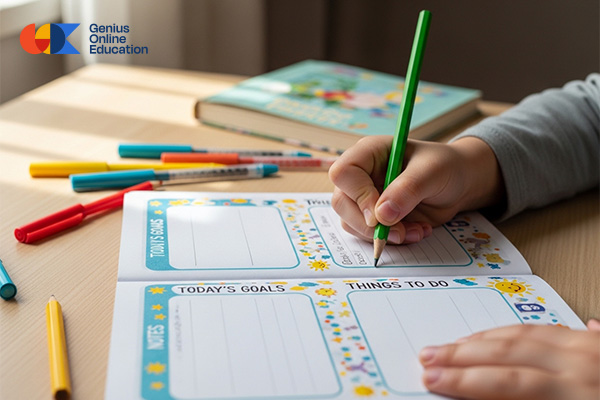
Organizing kids’ time at home helps them balance study, recreational activities, educational courses, and rest. With Genius Online, we provide practical tips to create an effective and enjoyable daily schedule for children:
1. Set Fixed Times for Daily Routine
Start by setting fixed times for waking up, sleeping, and meals, which helps the child manage their time and reduces daily chaos.
2. Divide the Day into Short Sessions
Split study and homework time into short sessions (25–45 minutes) with short breaks between sessions to enhance focus and increase productivity.
3. Integrate Educational and Interactive Courses
Include fun educational activities such as reading and writing courses, Photoshop for kids, or digital skills via Genius Online, teaching new skills in an enjoyable way.
4. Allocate Time for Physical and Recreational Activities
Ensure daily time for play, sports, or artistic activities like drawing and coloring to boost creativity and physical energy.
5. Create a Visual Schedule with Colors
Use different colors and symbols for each activity so the child can follow the day easily and enjoy sticking to the routine.
6. Short Review Before Bed
Set aside 10–15 minutes before bed to review what the child learned during the day, including new words, sentences, or acquired skills to reinforce memory retention.
7. Involve the Child in Planning
Let the child participate in organizing their daily schedule and choosing activities, increasing commitment and responsibility for their time.
8. Flexibility Based on the Child’s Needs
Adjust the schedule according to the child’s energy or daily circumstances while maintaining a balance between study, rest, and educational courses.
⏰ With Genius Online, organizing kids’ time at home becomes a fun and effective experience that helps focus, develop skills, and enjoy daily activities in a balanced way.

