
Do you want your child to acquire a fun digital skill that opens doors to creativity? With Genius Online, children learn the basics of Photoshop in an easy and enjoyable way, starting from simple tools to small project designs. Through an interactive and engaging approach, learning transforms from a mere lesson into a creative experience that nurtures your child’s imagination and digital skills from an early age.
The Importance of Learning Photoshop Basics for Kids
Learning Photoshop basics for kids is not just a hobby; it is an investment in their digital and creative skills from a young age. The program provides tools to understand colors, shapes, and design in a simple way, enhancing their ability to innovate and solve problems visually and enjoyably.
Developing Creativity and Imagination
Using Photoshop, children learn to turn their ideas into real designs, unleashing their creativity and stimulating their artistic imagination.
Acquiring Early Digital Skills
Working with the design program gives children practical experience with modern technology, making it easier to learn other programs in the future.
Enhancing Focus and Precision
Designing images requires attention to detail and organizing elements, which improves the child’s ability to focus and pay attention to details.
Building Self-Confidence
When a child completes a simple project and sees it finished, their sense of achievement and confidence in their skills increases.
A Fun and Educational Experience
Photoshop basics make learning fun and interactive, linking the process to creativity and play rather than memorization and pressure.
Also see: Teaching Photoshop for Kids
🎨 Learning Photoshop basics for kids opens doors to creativity and builds essential digital skills for their future.
How to Learn Photoshop Basics for Kids Easily
With Genius Online, learning Photoshop basics for kids becomes a fun and safe educational experience that combines creativity and technology. We provide your child with simplified and interactive content to acquire design skills step by step, without complexity or pressure, in a way suitable for their age and interests.
Simple Explanations Suitable for a Child’s Mind
The Genius Online program introduces the child to the world of design and Photoshop in an easy and relatable way, with practical examples like editing photos, designing colorful cards, and drawing shapes they love.
Focus on Basic Tools Only
At Genius Online, we ensure children learn the basic Photoshop tools without distraction, such as the selection tool, brush, text, and colors, with clear and practical explanations for each tool.
Learning Through Practice
The program emphasizes hands-on learning through simple and fun projects, like designing a small poster or decorating a photo, helping children understand quickly and reinforce skills.
Interactive Lessons and Engaging Visual Content
Genius Online provides illustrated lessons and short videos in a fun style, helping children follow along easily and enjoy every step of their learning journey.
Smart Learning Progression
We gradually guide children from basics to more advanced editing and design skills, according to their development, without complexity or fatigue.
Encouraging and Building Child’s Confidence
At Genius Online, we value motivation, so we encourage children to share their designs and celebrate achievements, enhancing confidence and passion for learning.
🚀 With Genius Online, your child learns Photoshop basics easily and discovers the world of digital creativity with confidence and fun.
Best Methods for Teaching Photoshop Basics to Kids
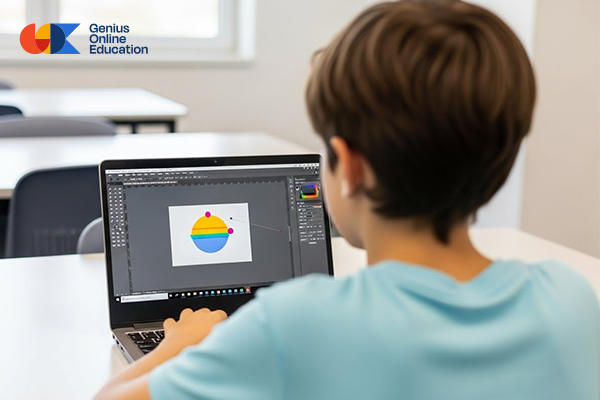
Genius Online offers innovative approaches to help children learn Photoshop basics in a fun and easy way, focusing on fostering creativity and building digital skills from an early age in a stimulating learning environment.
Learning Through Illustrated Stories
Connecting Photoshop lessons to stories and beloved characters makes learning more engaging, as children learn tools while designing scenes or characters from the story.
Learning Through Play and Simple Challenges
Genius Online uses small challenges such as coloring or editing an image within a time limit, motivating children to focus and making learning feel like a game.
Breaking Lessons into Short Tasks
Short, focused lessons help children absorb content without feeling overwhelmed, with a clear accomplishment for each session.
Designing Based on Child’s Interests
When children choose their own design topics, like animals, toys, or cartoon characters, they become more engaged and excited to learn.
Collaborative Learning and Sharing Designs
Encouraging children to share their work within the Genius Online environment fosters teamwork and gives additional motivation to improve.
Connecting Learning to Daily Life
Teaching children to use Photoshop for simple real-life situations, like creating greeting cards or images for special memories, makes skills practical and useful.
Simple Evaluation and Continuous Motivation
Genius Online uses light and encouraging assessments focused on progress rather than mistakes, building confidence and encouraging continued learning.
Also explore: Graphic Courses for Kids
🌟 With Genius Online, your child learns Photoshop basics with innovative methods that instill a love for creativity and technology from day one.
Online Course in Photoshop Basics for Kids with Genius Online
Give your child the opportunity for creative learning with thePhotoshop basics and an introduction to design online course from Genius Online — an interactive learning program designed specifically for children, combining fun learning and hands-on practice to build digital design skills in a simple and motivating way.
📌 What Will Children Learn in This Course?
The course covers everything a child needs to start in the world of Photoshop, including:
- Getting familiar with the program interface in a fun and friendly way.
- Basic tools like brush, selection, text, and colors.
- Simple practical projects like coloring images and designing cards.
- Basics of editing, cutting, and merging with clear and easy steps.
🎨 Why Choose This Course for Your Child?
The course is designed according to the best teaching methods for children:
- Interactive and visual content makes learning fun and easy to understand.
- Smart progression of content suitable for complete beginners.
- Practical exercises to enhance understanding and foster creativity.
- Short and focused lessons suited to a child’s attention span.
🧠 Course Advantages with Genius Online
- ✔️ Safe learning environment for children.
- ✔️ Guidance and support from specialized instructors.
- ✔️ Certificate of completion at the end of the course.
- ✔️ Step-by-step progress tracking.
📅 Suitable for Whom?
This course is suitable for children aged 7 and above, whether they are beginners or have some basic design experience.
🚀 Enroll Now and Start the Creative Journey
Let your child explore the world of design and develop digital skills with the Online Photoshop Basics for Kids Course from Genius Online. Register today and give them a strong start in digital creativity.
You can also explore: Basics of Graphic Design for Kids
✨ With Genius Online, every child becomes a creative designer! Register now and start learning with confidence and fun. 🎨
Practical Projects on Photoshop Basics for Kids
Genius Online relies on practical projects as a key method to teach Photoshop basics to kids, because learning by doing is the fastest and most effective. Through fun and simple projects, children apply what they learn step by step and feel accomplished from the very first session.
Design a Name Card
Children learn to use the Text Tool, choose fonts and colors, and arrange elements by designing a card with their name in a creative style.
Coloring an Image with Basic Tools
A fun project that helps children understand colors, brushes, and the selection tool, while developing their artistic sense in an easy and simple way.
Design a Simple Poster
In this project, children apply the basics of cropping, merging, and arranging images to create a poster on a topic they love, such as animals or toys.
Adding Light Effects to Images
Children learn how to enhance images using simple effects, which strengthens their understanding of editing in a safe and age-appropriate way.
Design a Social Media Image
A practical project that introduces children to image sizes and element arrangement while designing a fun and simple image in a playful style.
Free Project to Boost Creativity
Genius Online gives children the space to choose their own project and apply what they have learned freely, enhancing their confidence and encouraging innovation.
🎨 With practical projects from Genius Online, your child learns Photoshop basics in a hands-on, fun, and creative way.
Learn Photoshop Basics for Kids in an Interactive and Fun Way
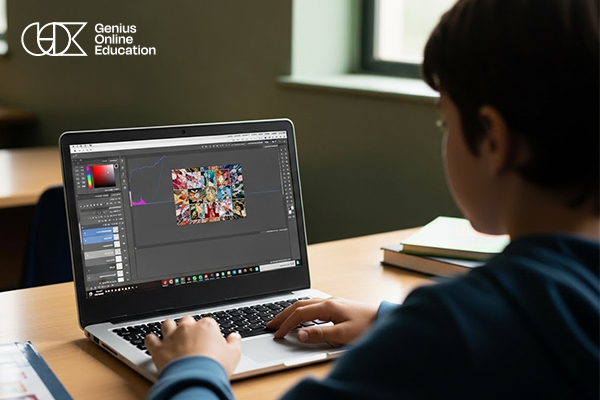
At Genius Online, we believe the best way to teach Photoshop basics to children is by combining interaction and fun. That’s why we designed an educational program that transforms traditional learning into a creative experience the child lives step by step, enjoying it while acquiring real digital skills.
Interactive and Participatory Learning
The program engages children directly through interactive activities and practical exercises, making them active participants in the learning process rather than just recipients of information.
Short Lessons with a Fun Approach
At Genius Online, we provide short, focused lessons in a simple and fun style, suitable for children’s attention spans, keeping them motivated to move from one lesson to the next.
Learning Through Play and Creativity
Children learn Photoshop’s basic tools through design games and light challenges, like coloring images or creating simple designs, making learning enjoyable and engaging.
Projects that Match the Child’s World
We ensure projects are close to the child’s interests, such as designing cards, posters, or cartoon images, making learning relevant and connected to their daily life.
Continuous Encouragement and Confidence Building
We provide a supportive environment that encourages children to experiment without fear of mistakes, with continuous motivation that strengthens their self-confidence and fosters creativity.
A Safe and Kid-Friendly Learning Environment
All of this takes place within a safe and organized learning environment, ensuring a fun experience for children and peace of mind for parents.
🌟 With Genius Online, your child learns Photoshop basics in an interactive and fun way, fostering a love of creativity from an early age.
Essential Tools in Photoshop Basics for Kids
At Genius Online, we focus on teaching children Photoshop basics through simple and easy-to-understand tools, helping them be creative without complexity. Each tool is presented interactively and practically, suitable for the child’s age, encouraging experimentation and exploration.
Brush Tool
One of the most enjoyable tools for children, allowing them to paint and color freely, choose colors and sizes, enhancing their artistic sense and creativity.
Selection Tool
Helps children select a specific part of an image and work with it easily, like coloring or cropping, in a simple and understandable way.
Text Tool
Through this tool, children learn to write their name or short phrases, choose fonts and colors, adding a personal touch to their designs.
Color Panel
Introduces children to the world of colors and how to select and combine them attractively, enhancing their artistic taste and coordination skills.
Eraser Tool
Teaches children how to correct mistakes easily and without fear, encouraging experimentation without worry.
Move Tool
Allows children to move images and elements and arrange them within the design, helping them understand organization and visual layout.
Crop Tool
Teaches children how to adjust image size and crop unnecessary parts in a simple and practical way.
You can also explore: Benefits of Learning Programming Early
🎨 With Genius Online, your child discovers the essential Photoshop tools in a simple, fun, and interactive way, opening doors to creativity.
Practical Steps to Teach Photoshop Basics to Kids with Genius Online
At Genius Online, we follow practical and structured steps to teach graphic design to children, helping them move from discovery to application with confidence and fun. The goal is to build skills gradually without complexity, focusing on interaction and creativity.
Step 1: Introduction to the World of Design
We start with a simple explanation of what Photoshop is and why we use it, with examples close to the child’s world, like photo editing, card design, or creating colorful drawings.
Step 2: Getting Familiar with the Program Interface
Children learn to navigate the Photoshop interface simply and locate basic tools without complex details.
Step 3: Learn Basic Tools Step by Step
At Genius Online, we focus on specific tools suitable for kids, such as the brush, selection, text, and color tools, with practical explanations for each tool during use.
Step 4: Practice with Simple Exercises
After each lesson, children apply what they learned through easy exercises, like coloring an image, writing their name, or adjusting a simple shape.
Step 5: Execute Small Fun Projects
We move on to mini-projects like designing a card or a simple poster, so children feel accomplished and see clear results of their learning.
Step 6: Gradually Increase Difficulty
The challenge level is raised gradually according to the child’s progress, without pressure or frustration.
Step 7: Encouragement and Positive Feedback
We ensure children are motivated and share their achievements, with positive feedback that builds confidence and increases enthusiasm to continue.
Step 8: Safe and Supportive Learning Environment
All these steps are provided within the safe and child-friendly Genius Online environment, giving parents peace of mind while their children learn.
🚀 With Genius Online, your child learns Photoshop basics through clear, practical steps, turning learning into a fun and fruitful experience.
Developing Children’s Skills Through Photoshop Basics
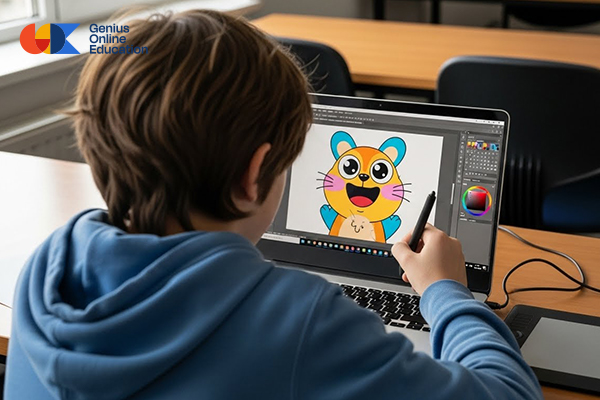
The Graphic Design Diploma with Genius Online is more than just teaching a design program. It is an effective way to develop multiple skills including creativity, focus, and problem-solving in a visual and fun way.
Fostering Creativity and Artistic Imagination
By turning ideas into real designs, children gain the ability to innovate and explore their artistic imagination while experiencing the joy of digital creativity from an early age.
Acquiring Early Digital Skills
Children become familiar with modern technology tools in a practical way, making it easier to learn other programs in the future and building strong digital skills.
Enhancing Focus and Attention to Detail
Designing images requires arranging elements and paying attention to details, which improves the child’s ability to focus and organize ideas visually.
Building Self-Confidence Through Achievement
Seeing their projects completed successfully gives children a sense of accomplishment and boosts their confidence in their abilities to learn and create.
Fun and Interactive Learning Experience
At Genius Online, learning becomes fun and interactive, connecting education with enjoyment, allowing children to apply what they learn practically.
Developing Problem-Solving Skills
While working on projects, children encounter small challenges, such as arranging elements or adjusting colors, enhancing critical thinking and problem-solving skills creatively.
🌟 With Genius Online, your child develops creative and digital skills in a fun and interactive way, preparing them for a future full of innovation.
Tips for Teaching Photoshop Basics to Kids with Genius Online
Teaching Photoshop basics to children requires a patient and fun approach. Genius Online provides a set of practical tips to ensure effective and enjoyable learning:
Start with the Basics Only
Focus on essential tools like brush, selection, text, and colors, without diving into complex details that might overwhelm the child.
Use a Hands-On Learning Approach
Allow children to immediately apply what they learn through small projects, like coloring an image or designing a simple card, to reinforce understanding and memory.
Make Learning Fun and Playful
Use design games, simple challenges, and visual activities to capture the child’s attention and motivate them to continue.
Break Lessons into Short Stages
Short lessons help children focus and absorb content better, with a constant sense of achievement after each stage.
Encourage Personal Creativity
Let children choose their own colors, designs, and project topics, which increases motivation and makes learning more connected to their personal world.
Provide Positive Feedback
Praise children for their effort and celebrate small achievements, building confidence and encouraging skill development.
Provide a Safe Learning Environment
Use safe platforms like Genius Online, allowing children to learn freely without pressure, with step-by-step monitoring of progress.
🎨 By following these tips with Genius Online, learning Photoshop basics becomes an enjoyable, interactive, and fruitful experience for kids.